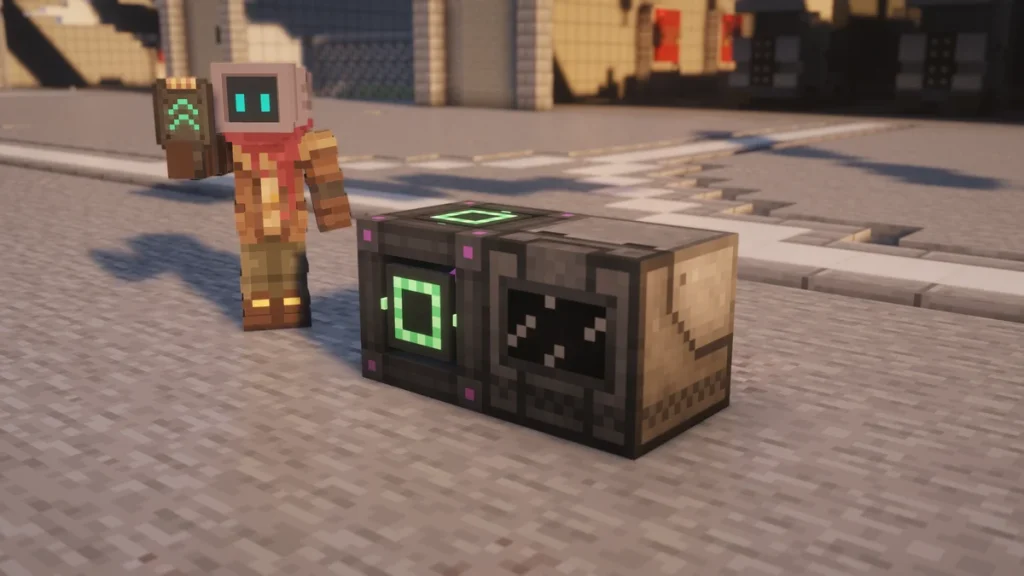
Upgrades are items that you’ll put inside a Mekanism machine to change how it runs, and there are seven of them. The  Speed Upgrade and the
  Energy Upgrade are the two you’ll make the most of, as a machine with 8 Speed Upgrades will work ten times faster, but it’ll draw a hundred times the power unless you add Energy Upgrades as well.
A machine won’t take every upgrade, and most of them will only hold Speed, Energy and a  Muffling Upgrade. The
  Anchor Upgrade is the one that surprises players, as it only fits three machines, so it isn’t able to keep any machine’s chunk loaded the way its name suggests.
How to Get It
Five of the upgrades share one recipe shape, with  Glass above and below, an
  Infused Alloy on each side and a dust in the middle, which is the only part that changes. You’ll need a
  Metallurgic Infuser for the alloy and an
  Enrichment Chamber or a Crusher for the dusts, so they come quite early on.
| Upgrade | Middle item | Around it |
|---|---|---|
| Speed Upgrade | Osmium Dust | 2 Glass, 2 Infused Alloy |
| Energy Upgrade | Gold Dust | 2 Glass, 2 Infused Alloy |
| Chemical Upgrade | Iron Dust | 2 Glass, 2 Infused Alloy |
| Filter Upgrade | Tin Dust | 2 Glass, 2 Infused Alloy |
| Anchor Upgrade | Diamond Dust | 2 Glass, 2 Infused Alloy |
| Stone Generator Upgrade | Infused Alloy | 2 Glass, Water Bucket, Lava Bucket |
| Muffling Upgrade | A Brick, Fluorite or a common ingot | 4 Wool |
The Muffling Upgrade is the odd one, as it doesn’t use any alloy at all and it’s just four Wool around one item. That middle item can be a  Brick, a piece of
  Fluorite or an Iron, Gold, Copper, Osmium, Tin or
  Lead Ingot. On 1.20.1 it was made with
  Steel Dust instead, and a machine was able to hold four of them.


The other three are for one or two machines each, so you won’t need more than a couple of them.  Tin Dust and
  Diamond Dust both come from the
  Crusher, and the
  Stone Generator Upgrade swaps the dust for an Infused Alloy with a
  Water Bucket and a
  Lava Bucket beside it.


Infused Alloy is made from a  Copper Ingot and Redstone on current versions, and the alloys page has the recipe along with the older one. Each upgrade takes two of them, so a full set of 8 Speed and 8 Energy Upgrades for one machine will cost you 32 alloys.
How to Use It
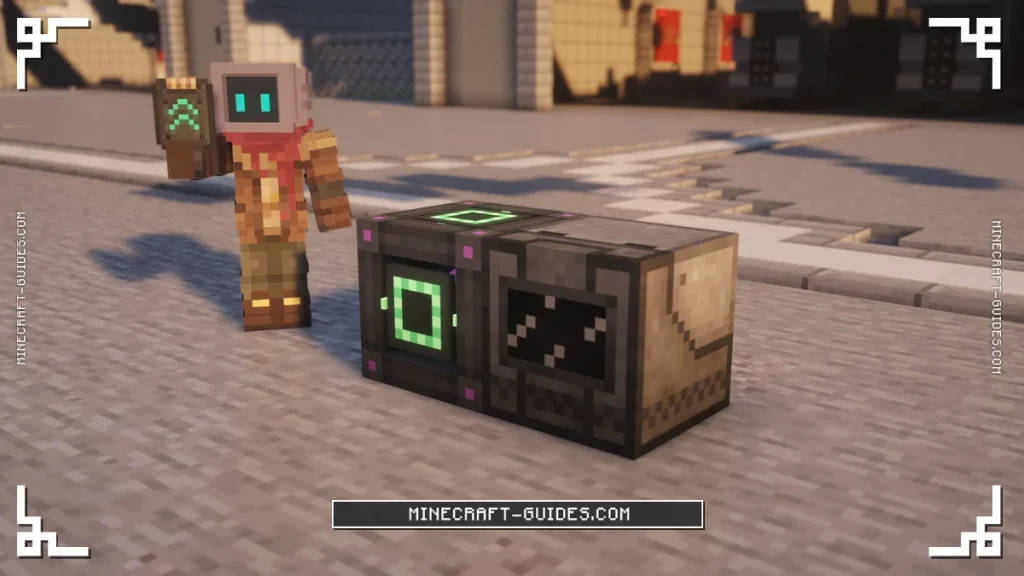
Every machine that takes upgrades has an Upgrades tab on the side of its screen, with a slot that you’re able to drop a stack into. After about a second the machine will absorb as many of them as it has room for, and the tab then lists what’s installed, with buttons to take one or all of them back out again.
A factory doesn’t need a set of upgrades for each of its slots, as the 8 Speed Upgrades you put in will apply to every process it’s running. An  Ultimate Smelting Factory with 8 of them will smelt 9 items a second, so it’s the cheapest place to spend your first upgrades.
The faster way is to sneak and right-click the machine while you’re holding the upgrades, which will install as many as it can hold in one go. They stay inside when a machine is picked up with the  Configurator, and a factory keeps them when it’s moved up a tier as well.
Speed and Energy Upgrades
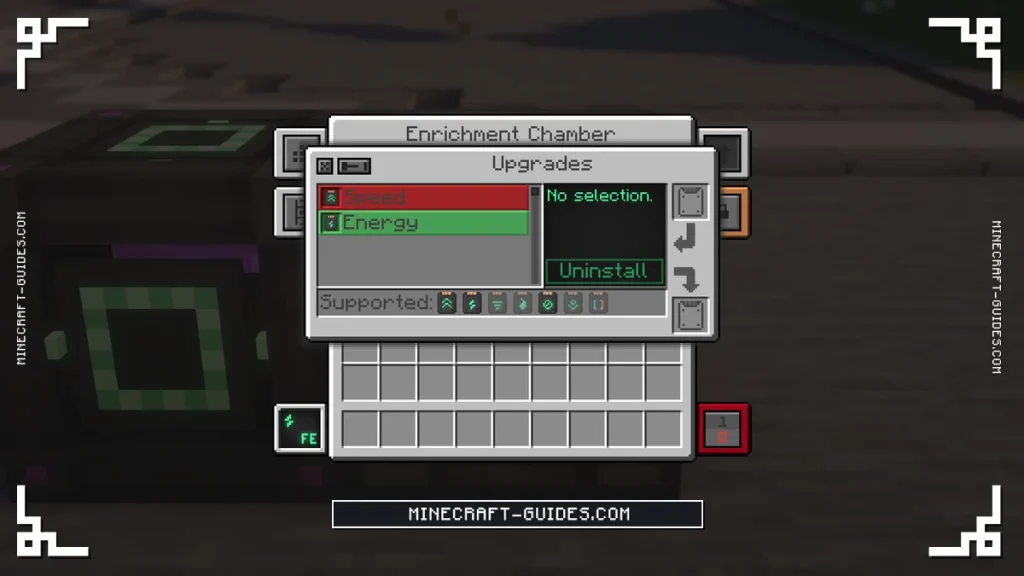
A machine will hold up to 8 Speed and 8 Energy Upgrades, and each one counts for an eighth of a ten times change. So with all 8 Speed Upgrades a machine works ten times faster, which takes an Enrichment Chamber from 10 seconds an item down to 1. The catch is that its power draw goes up by the square of that, so it’s a hundred times as much.
| Speed Upgrades | Time per item | FE/t alone | FE/t with the same number of Energy Upgrades |
|---|---|---|---|
| 0 | 10 s | 20 | 20 |
| 1 | 7.5 s | 36 | 27 |
| 2 | 5.6 s | 64 | 36 |
| 4 | 3.2 s | 200 | 64 |
| 6 | 1.8 s | 633 | 113 |
| 8 | 1 s | 2,000 | 200 |
Energy Upgrades cancel half of that out, as 8 of them will divide the draw by ten, and they make the machine’s energy buffer ten times bigger as well. When you match every Speed Upgrade with an Energy Upgrade, each item will cost the same 4,000 FE (10,000 J) that it did before, so you’re only paying for the speed with a higher draw per tick.
Speed Upgrades on Their Own
Without them, 8 Speed Upgrades make every item cost ten times the energy, which is what drains a base that was running fine the day before. Energy Upgrades on their own are worth having too, as 8 of them drop a 20 FE/t machine to just 2 FE/t, and Power Generation will help you work out what your generators are able to feed.
Chemical Upgrades
The  Chemical Upgrade only fits three machines, which are the
  Purification Chamber, the
  Chemical Injection Chamber and the
  Chemical Dissolution Chamber. These use up a chemical on every tick they work, like Oxygen or Sulfuric Acid, and 8 Chemical Upgrades will cut that to a tenth of what it was.
Speed Upgrades push it the other way in those three, as each item will use up to ten times as much chemical with all 8 of them installed. So you’ll want to add Chemical Upgrades whenever you add Speed, and Ore Processing has the amounts for each machine. On 1.20.1 this one was called the Gas Upgrade, and it had the same recipe.
Muffling, Filter, Anchor and Stone Generator
A machine only takes one of each of these. The Muffling Upgrade will stop a machine from making any sound, which is all that it does, and the  Filter Upgrade only goes in the
  Electric Pump, where it makes the pump give you Heavy Water when it’s sitting over Water.
Anchor Upgrade
The Anchor Upgrade keeps a chunk loaded, but only the  Teleporter, the
  Quantum Entangloporter and the Digital Miner will accept it. The first two load the chunk they’re standing in, whereas the miner loads its own chunk and the one it’s mining in, and the
  Dimensional Stabilizer is the block for loading a whole area.
Stone Generator Upgrade
The Stone Generator Upgrade is only for the  Digital Miner as well. When the miner is set to replace the blocks it takes with
  Stone or
  Cobblestone, it’ll normally need those blocks in its inventory, and with this upgrade it’s able to place them without having any.
Which Machines Take Which Upgrades
Generators, tanks, Energy Cubes, Bins and the parts of a multiblock don’t take Speed or Energy Upgrades at all, so there’s no way to speed up a reactor or a turbine with them. The table shows what each group of machines will accept, and a factory always takes the same set as the machine it was made from.
| Machines | Upgrades they take |
|---|---|
| Enrichment Chamber, Crusher, Energized Smelter, Combiner, Osmium Compressor, Precision Sawmill, Metallurgic Infuser | Speed, Energy, Muffling |
| Pressurized Reaction Chamber, Chemical Washer, Chemical Crystallizer, Chemical Infuser, Chemical Oxidizer | Speed, Energy, Muffling |
| Electrolytic Separator, Rotary Condensentrator, Isotopic Centrifuge, Nutritional Liquifier, the pigment machines | Speed, Energy, Muffling |
| Purification Chamber, Chemical Injection Chamber, Chemical Dissolution Chamber | Speed, Energy, Muffling, Chemical |
| Electric Pump | Speed, Energy, Filter |
| Digital Miner | Speed, Energy, Anchor, Stone Generator |
| Formulaic Assemblicator, Fluidic Plenisher | Speed, Energy |
| Teleporter, Quantum Entangloporter | Anchor |
| QIO Importer, QIO Exporter | Speed |
| Dimensional Stabilizer | Energy |
| Every generator, Resistive Heater, Logistical Sorter, Antiprotonic Nucleosynthesizer | Muffling |
The numbers on this page are the mod’s defaults, and the config page shows where a pack is able to change how much 8 upgrades are worth. Once your machines are upgraded, the next thing to learn is how their sides and outputs are set, which the Configurator page goes through.
FAQ
A machine will hold up to 8 Speed Upgrades, 8 Energy Upgrades and 8 Chemical Upgrades, as long as it accepts that type in the first place. The other four are limited to one each, like the Muffling Upgrade and the Anchor Upgrade, as they either work or they don’t.
Each Speed Upgrade raises the power draw a lot faster than it raises the speed, so 8 of them make a machine ten times faster but it’ll draw a hundred times the power. Adding the same number of Energy Upgrades brings that down to ten times, which leaves each item costing what it did before.
It keeps the machine’s chunk loaded while you’re away, but it only fits the Teleporter, the Quantum Entangloporter and the Digital Miner. It won’t go into any other machine, so you’ll want a Dimensional Stabilizer to keep a row of machines running instead.
Open the machine and click the Upgrades tab on the side of its screen, then pick the upgrade in the list. There are two buttons there, one that takes a single upgrade out and one that takes all of that type, and they’ll come out through the slot underneath.