
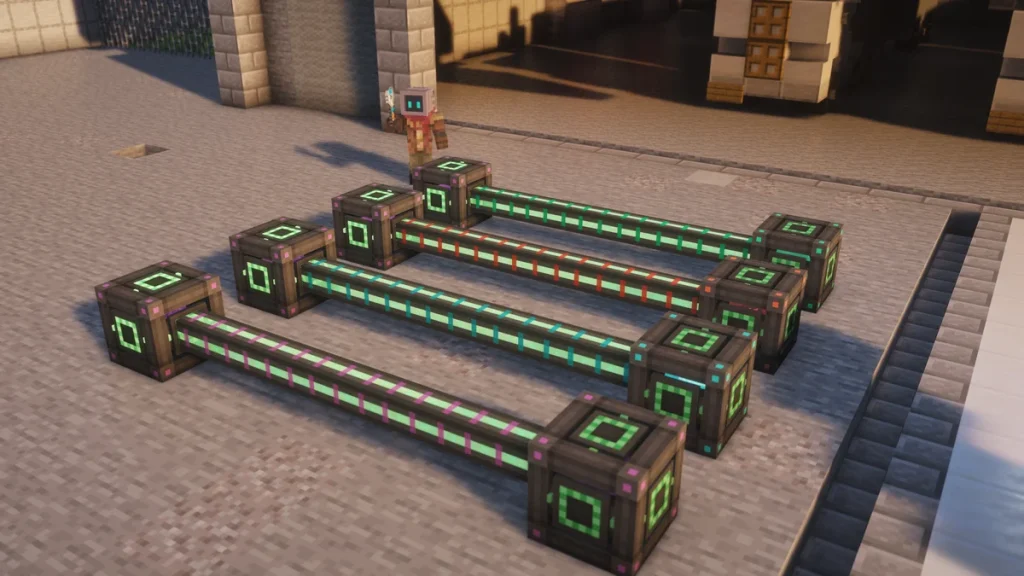
The Universal Cable is how power is moved around in Mekanism, connecting your generators to machines, Energy Cubes and anything else that takes FE. It comes in 4 tiers, starting with the  Basic Universal Cable, and they’re one of the first things you’ll craft once you’ve got Steel.
The cables will also connect to machines from other mods, which is where the name comes from. What changes between the tiers is how much power each cable is able to hold, and as that’s also the most it can pass on each tick, a line of Basic cables will hold back a large generator.
How to Make It
You’ll get 8 Basic Universal Cables from a row of 3 items, which is a  Steel Ingot on each side of a
  Redstone Dust. The Steel needs a
  Metallurgic Infuser that’s already running, so your first generator has to be placed right against the machine it’s powering.


 8
8
 8
8
 8
8
 8
8Every tier after that is made by surrounding one alloy with 8 cables of the tier below, and it gives all 8 back as the new tier. That’s  Infused Alloy for Advanced,
  Reinforced Alloy for Elite and
  Atomic Alloy for Ultimate, which the Alloys and Control Circuits page covers.
You don’t have to break a line to upgrade it. Right-click a cable with the alloy for the next tier and it’ll upgrade up to 8 connected cables, starting with the closest ones, which is the same 8 per alloy as the crafting recipe.
So a long run only needs you to walk along it and click every few blocks with a stack of alloy. It has to be done one tier at a time though, as an Atomic Alloy won’t do anything to a Basic cable.
How It Works
Cables that are touching will join into one network, and every network shares a single buffer of power, which is the size of all its cables added together. Each tick, the network tries to empty that buffer into every machine that’s connected, and it splits the power between them.
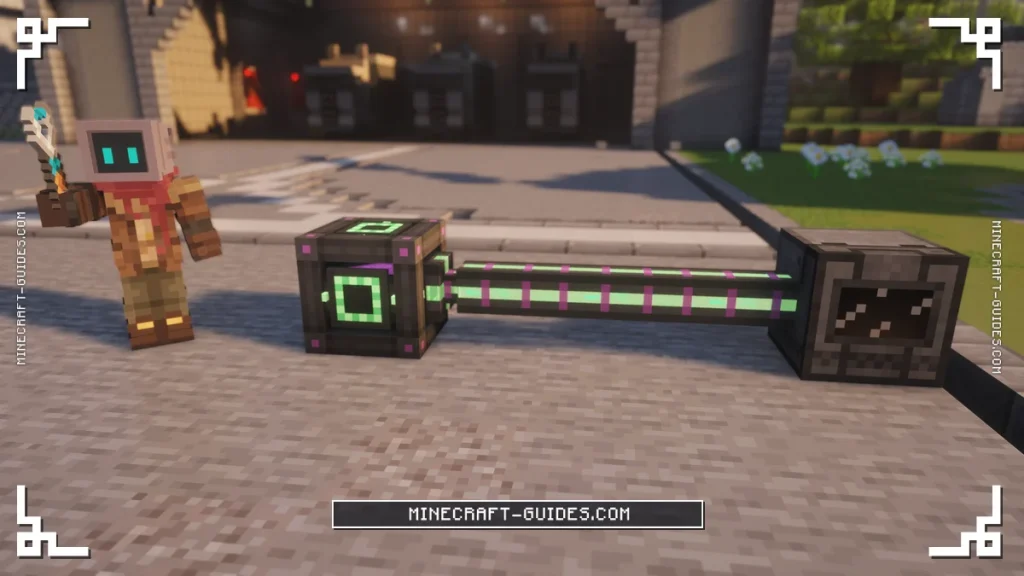
As it can only send what it’s holding, the buffer is also the limit on how much a network is able to move in a tick. A single Basic Universal Cable between two blocks will pass 3,200 FE/t (8,000 J/t) at most, and a longer line will hold and pass more, as every cable adds its own share.
Push, Pull and None
By default a cable will accept power from anything that pushes into it, and give power to anything that accepts it. If you sneak and right-click the end of a cable with a Configurator, it’ll cycle that side through Normal, Push, Pull and None.
| Mode | What that side does |
|---|---|
| Normal | Takes and gives power, the default |
| Pull | Draws power out of blocks that don’t push it |
| Push | Only sends power, never takes any back |
| None | Disconnected, so two networks can run side by side |
A plain right-click with the  Configurator does something different, as it’ll toggle whether the cable reacts to redstone. With that turned on, a redstone signal will cut the cable’s connections, so a
  Lever next to it works as a switch for the whole line.
Tiers
The table shows how much each cable holds, which is what it adds to the buffer of its network. Each tier is a big step up, as Advanced is 16 times the Basic cable and Ultimate is over 1,000 times, and different tiers are able to be joined in the same network.
| Tier | Capacity per Cable | Upgraded With |
|---|---|---|
| Basic Universal Cable | 3,200 FE | Crafted from Steel Ingots and Redstone Dust |
| Advanced Universal Cable | 51,200 FE | Infused Alloy |
| Elite Universal Cable | 409,600 FE | Reinforced Alloy |
| Ultimate Universal Cable | 3,276,800 FE | Atomic Alloy |
For most of the early game, Basic cables are enough, as a  Heat Generator or a few
  Wind Generators won’t come close to filling them. An Advanced cable is worth it once you’ve got an Energy Cube above the Basic tier, as an Elite cube alone pushes out 25,600 FE/t.
By the time there’s a reactor feeding an Induction Matrix, you’ll want Ultimate cables on the main line. A short link of them is able to carry millions of FE each tick, which is what the larger Induction Providers send.
Upgrades and Automation
Cables don’t take upgrades like Speed or Energy, as the alloy is the only way to improve them. They also don’t lose any power over distance, so it doesn’t matter how far a generator is from the base, as long as the chunks in between stay loaded.
If a machine isn’t getting power, check that the cable is actually connected to a side that accepts it, as machines only take power on the sides that are set for it. For moving power without any cable at all, the  Quantum Entangloporter is able to send it across any distance. For storing it, the next page to read is the Energy Cube.
FAQ
Each cable holds a set amount, which is 3,200 FE for Basic, 51,200 for Advanced, 409,600 for Elite and 3,276,800 for Ultimate. A network shares one buffer made from all its cables and tries to empty it every tick, so that’s also the most it’s able to move in a tick.
Either craft 8 cables around the next tier’s alloy, or right-click a placed cable with that alloy to upgrade up to 8 connected cables at once. It goes Infused Alloy for Advanced, Reinforced Alloy for Elite and Atomic Alloy for Ultimate.
Sneak and right-click the end of the cable with a Configurator until the message says Pull. That side will then take power out of the block it’s touching, like a generator or battery from another mod that doesn’t push power by itself.
They do, as they’ll connect to any block that uses FE and convert it on the way through. The screen shows FE by default as well, with 1 FE being equal to 2.5 of Mekanism’s own Joules.
Mekanism doesn’t add any covers or facades for its cables, so a Universal Cable will always be on show wherever it runs. You’re able to keep them out of sight by running them under the floor or behind a wall instead, and as a cable will carry power round any number of bends, it’s easy to bring one up right beside the machine it’s feeding.


