
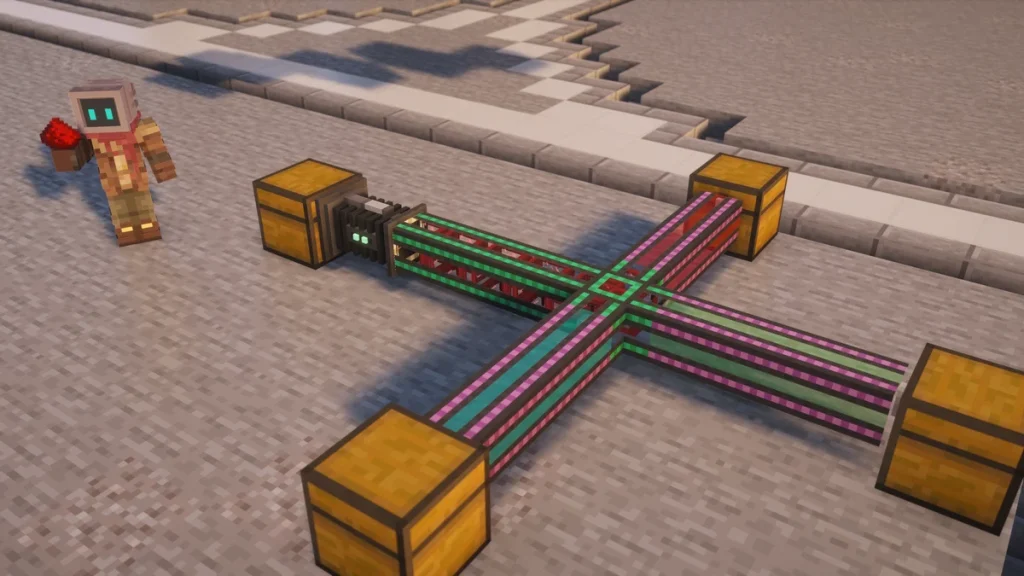
The Logistical Sorter is a Mekanism machine that pulls items out of a  Chest and sends them down a Logistical Transporter, and it’s how you’re able to choose which items go where. To use one, place it with its back against the Chest and its front on the transporter, then open it and add a filter for each item you want it to send.
It doesn’t need any power, which makes it one of the cheapest ways to automate a storage room early on. Each filter can be given a color as well, and that color is what the transporters use to carry different items to different Chests.
How to Make It
A  Logistical Sorter is crafted from seven
  Iron Ingots, one
  Piston and one
  Basic Control Circuit. The circuit is the only Mekanism part in the recipe, so you’ll be able to make a Sorter as soon as the
  Metallurgic Infuser is running.


You’ll want some Logistical Transporter line to go with it, which needs  Steel Ingots and another Basic Control Circuit. A Sorter can also push straight into a second Chest or machine placed in front of it, so the transporters aren’t needed for a short hop.
How It Works
Where to Place It
The Sorter always takes from the block behind it and sends to the block in front of it. It’s placed against the face you click on, so clicking the side of a Chest will leave its back on that Chest, and if it ends up facing the wrong way a  Configurator in wrench mode will turn it round until its back finds an inventory.
What Gets Sent
About twice a second it looks through its filters from the top of the list down, and the first one that finds a matching item in the Chest gets to send it. Only one transfer happens each time, so a long filter list won’t move more items, it just decides which item is taken first.
By default a whole stack is sent on every transfer. That can be changed for the whole machine with Force single item, which sends one item at a time, or on a single filter with Size Mode, where you’ll set a minimum and a maximum amount for it to send.
Size Mode has no effect while Force single item is switched on, as the machine setting overrides the Min and Max on every filter. If a filter seems to be ignoring its amounts, it’s worth checking that Force single item is off first.
Filters
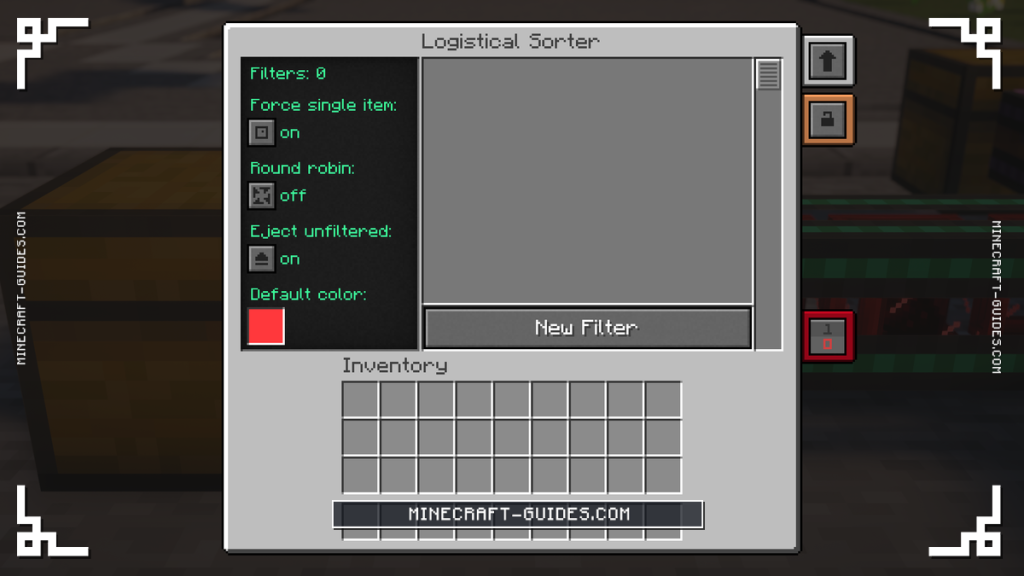
There are three kinds of filter, and you’re able to mix them in one Sorter. Each one has its own color setting and its own Size Mode, and a filter can be switched off without deleting it, which is handy while you’re testing a setup.
| Filter | Matches | Wildcards |
|---|---|---|
| Item Filter | One exact item, any damage with Fuzzy Mode | No |
| Tag Filter | Every item in a tag you type in | Yes |
| Mod ID Filter | Everything added by one mod | Yes |
Fuzzy Mode is the setting to remember for tools and armor, as it’ll catch every  Iron Pickaxe rather than only an undamaged one. A wildcard Tag Filter covers all ingots or all ores at once, and a Mod ID Filter is the quick way to send all Mekanism items to their own Chest.
Anything that doesn’t match a filter stays in the Chest, unless Eject unfiltered is turned on. With it on, the Sorter sends every leftover item as well and gives it the Default color, which is another setting in the Sorter’s own screen.
Sorting with Colors
When a filter with a color sends a stack, that stack is stamped with the color for its whole trip. Transporters will only carry a stack that matches their own color, or any stack at all if they haven’t been colored, so the color works like an address.
To build a sorting line, run a plain transporter out of the Sorter and split it into one branch for each Chest. Color each branch by sneaking and right-clicking it with the Configurator, then give each filter the same color as the branch it’s meant to use, and the items will sort themselves out.
Round robin is the last setting, and it’s used when one filter has more than one Chest to send to. Instead of filling the first Chest it finds, the Sorter will cycle between all of the connected inventories in turn, which is useful for feeding a row of machines evenly.
Upgrades and Automation
A Sorter uses no energy, and the only upgrade it takes is the  Muffling Upgrade from the Machine Upgrades page, so it can’t be made any faster. If you need more items moved, a second Sorter on another face of the same Chest will double it.
It has the usual redstone control button in its screen, so a  Lever or any other redstone signal is able to switch it on and off. That’s an easy way to pause a line while you work on it, or to only let items through while another part of your base is ready for them.
Sorters only deal with items, and fluids and chemicals have nothing like them. Those are moved by Mechanical Pipes and Pressurized Tubes instead, which are covered on the Mechanical Pipes and Pressurized Tubes page.
FAQ
Place it with its back on the Chest you want to empty and its front on a Logistical Transporter, then open it and add an Item, Tag or Mod ID filter. Matching items will be sent out about twice a second, a stack at a time, and it doesn’t need any power to do it.
It’s usually facing the wrong way, as it only takes from the block behind it and only sends to the block in front. It also won’t send anything that doesn’t match a filter unless Eject unfiltered is on, and a redstone setting other than ignored might be holding it off as well.
The Sorter runs without any energy at all, so it doesn’t need a cable or a generator nearby. It only takes a Muffling Upgrade, which means its speed can’t be changed either.
Give each filter in the Sorter a color, then color the transporter branch that leads to each Chest to match. A colored transporter only carries stacks with its own color, so Iron Ingots might go down the red branch and  Gold Ingots down the yellow one.


