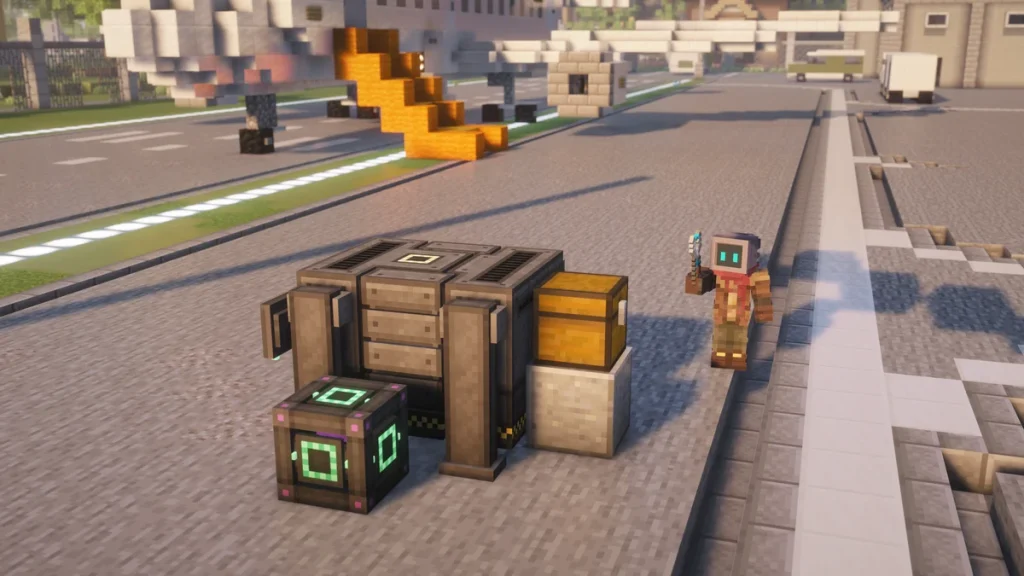
The  Digital Miner is a Mekanism machine that finds and mines only the blocks you’ve told it to, in a wide column around itself, without digging a pit to reach them. To set it up you’ll need to power it, add at least one filter, give it somewhere to put the items and press Start, as it won’t mine anything until all of those are done.
By default it searches 10 blocks out in every direction between Y 0 and Y 60, taking one block every 4 seconds for 400 FE/t (1,000 J/t). That means it’ll skip the  Deepslate layers until you lower its Min Y, which is the setting that’s missed the most, and it’s covered in the setup steps below.
How to Make It
You’ll need 2  Atomic Alloys, a
  Basic Control Circuit, 2
  Logistical Sorters, a
  Robit, 2
  Teleportation Cores and a
  Steel Casing to craft it. The Atomic Alloys go in the top corners with the circuit between them, the Robit sits in the middle with a sorter on each side, and the Steel Casing goes between the two cores on the bottom row.


It’s the Atomic Alloy that makes this a late machine, as each Teleportation Core needs 2 of them on top of the 2 in the miner itself, and the Robit takes one more, so that’s 7 in total. You’ll find how those are made on the Alloys and Control Circuits page, and the Robit has a page of its own as well.
Once it’s placed, the miner takes up a space 3 blocks wide, 3 deep and 2 tall, so it’s worth clearing that area first. If you ever need to move it, sneak and right-click it with a  Configurator in Wrench mode, as a
  Cardboard Box won’t pick this one up.
How It Works
The Digital Miner doesn’t dig its way down to anything. It’ll scan the whole area for blocks that match its filters, then remove them one at a time from wherever they are, leaving the stone around them untouched, and the items appear in the miner’s own 27 slots.
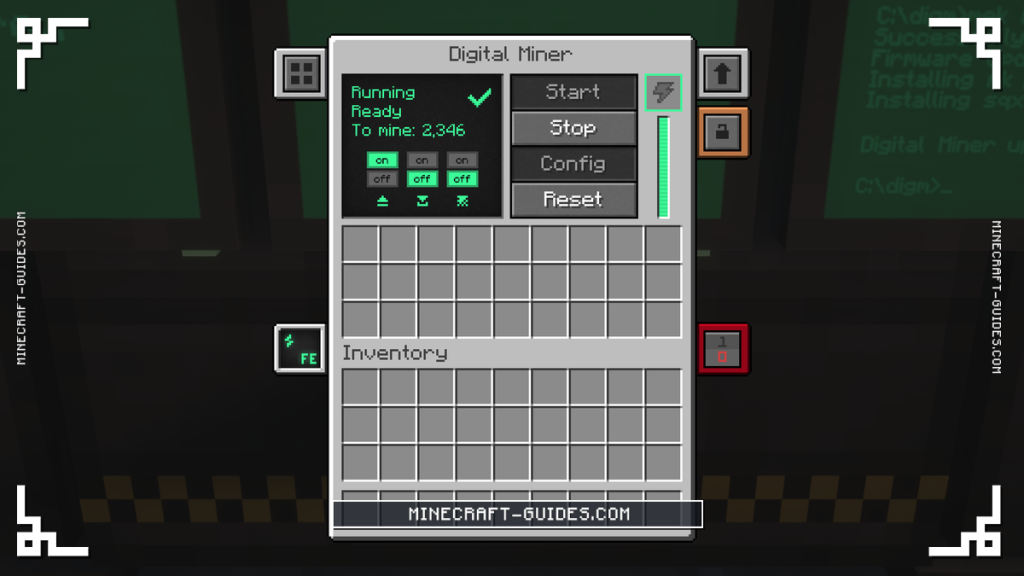
The area is a square centered on the miner, and its size comes from the radius, so the default radius of 10 covers 21 by 21 blocks, whereas the maximum of 32 covers 65 by 65. It works through that area a chunk at a time, taking the highest matching block in each one first, and the number left is shown next to “To mine” in its screen.
Power goes in through the left side, the right side or the bottom, and it won’t accept any from the back or top. While it’s running it’ll draw its energy every tick, not just when a block comes out, so one block costs 32,000 FE at the base speed. The miner only holds 20,000 FE itself, which is why it needs a steady supply instead of a charged buffer.
Fluids,  Bedrock and other unbreakable blocks are never mined, even in Inverse mode. It’ll also skip any block a claim or protection mod won’t let you break, as the miner acts as the player who placed it.
Setting It Up Step by Step
The steps below are in the order you’ll want to do them, as the config screen won’t stay open while the miner is busy mining, so the radius and the Y levels have to be set before you start it. Everything except the power and the  Chest is done from the Digital Miner Config screen, which opens from the button in its main screen.
Place and power it
Run a Universal Cable into the left, right or bottom of the miner. It needs at least 400 FE/t to run at all.
Add a filter
Open the config screen and add a Tag Filter for the ores you want, or an Item Filter for one block.
Set the radius and Y levels
Lower Min Y below 0 if you want Deepslate ores, and raise the radius once you have power to spare.
Give it an output
Put a Chest or a Logistical Transporter against the upper block on the back, then turn on auto-eject.
Press Start
It will say Searching, then Running, and To mine shows how many blocks it found.
Add upgrades
Speed and Energy Upgrades make it faster, and an Anchor Upgrade keeps it working while you are away.
The output is the step that tends to go wrong, as the port is on the back of the miner’s upper row, in the middle, and not on the base block. Auto-eject is off on the miner until you turn it on, and then it’ll push items out twice a second into whatever inventory is touching that port.
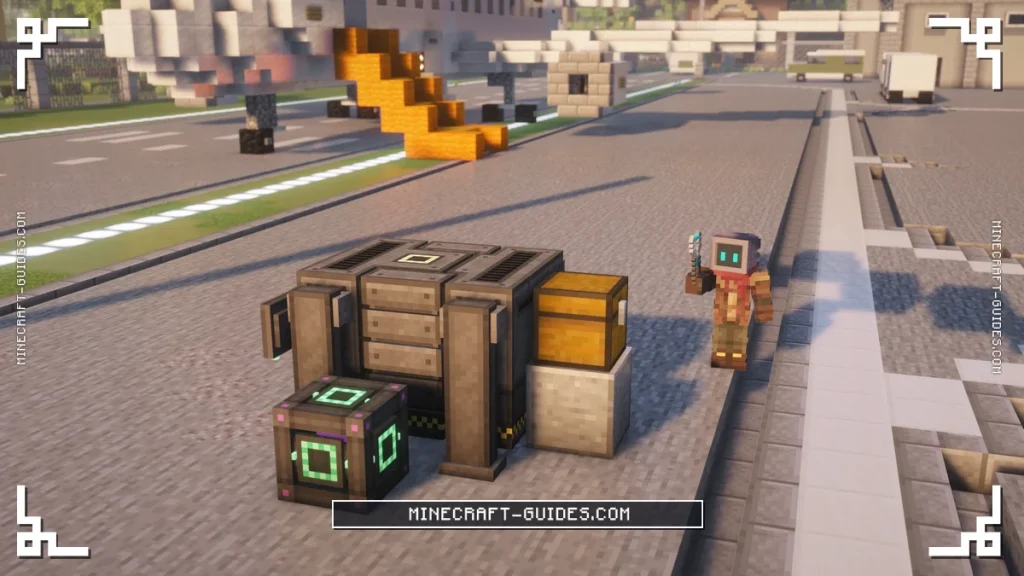
Min Y and Max Y are able to go from the bottom of the world to the top, so in the Overworld that’s Y -64 up to 319. A lot of ores now sit below Y 0, like  Diamonds and most of the Deepslate veins, so a miner left on its default range of 0 to 60 will miss them all.
Filters
There are three kinds of filter, and you’re able to add as many as you like. With no filter switched on, the search will finish straight away with nothing to mine, which looks like the miner is broken when it’s really just been told to look for nothing.
| Filter | What It Matches | Example |
|---|---|---|
| Item Filter | One specific block | Diamond Ore |
| Tag Filter | Every block with a block tag, with * as a wildcard | c:ores/* for every ore |
| Mod ID Filter | Every block added by one mod, with * as a wildcard | mekanism |
A Tag Filter set to c:ores/* is the one most players will want first, as it’ll catch every ore from every mod in a single filter. To mine only a few, you’d add one Tag Filter each, like c:ores/diamond and c:ores/osmium, or use Item Filters, which need the block itself placed in the filter’s slot.
Replace and Inverse mode
Each filter has a replace slot, where you’re able to name a block that’ll be put back where the mined one was, like  Cobblestone. The miner takes those blocks from its own slots first, so you’d keep a few stacks inside it, and turning on Pull will let it take them from an inventory placed directly on top of the miner as well.
If “Require replace” is on for that filter, the miner will skip a block when it has nothing to put back, and its screen will say “Missing block”. A  Stone Generator Upgrade is the easy way around that, as it’ll make Cobblestone or
  Stone for free whenever one of those is the replacement.
Inverse mode flips the filters around, so the miner will take every block that doesn’t match one. With a single filter for Stone, for example, it’d remove everything else in the area, and it has its own replace setting, so the same trick of filling the holes still works.
Speed and Energy
At the base speed the Digital Miner takes one block every 4 seconds for 400 FE/t, and three settings will raise that cost. They multiply together, so a miner with all three at their highest uses 19,200 FE/t before any upgrades are added.
| Setting | Energy Cost | Highest Value |
|---|---|---|
| Silk touch | 12 times as much | 4,800 FE/t |
| Radius above 10 | Rises evenly to double at radius 32 | 800 FE/t |
| Y range above 60 blocks | Rises evenly to double for the whole Overworld column | 800 FE/t |
| All three together | 48 times as much | 19,200 FE/t |
Silk touch is a toggle in the config screen, and with it off you’ll get the normal drops, so ores come out as raw ore. That matters for Ore Processing, as an Iron or Osmium ore block gives 2 dust in an  Enrichment Chamber, whereas it takes 3 of the raw ore to make 4. It’s the reason you might pay 12 times the energy for it.
Making the radius or the Y range smaller than the defaults won’t make it any cheaper, as 400 FE/t is the lowest it’ll go. A full search at radius 32 across the whole column will find a lot of blocks though, so the miner might be running for days before it needs moving.
Why It Stopped
When the Digital Miner isn’t mining, the status in its screen will usually tell you why. These are the reasons it’ll stop, with the most common ones first, and none of them need the miner to be broken and placed again.
| Problem | What to check |
|---|---|
| Slots full | Output on the upper back port, auto-eject on |
| Low Power | The supply covers the full cost every tick |
| Missing block | A replacement block for Require replace filters |
| Not ready | Press Start, or wait for a large search |
| To mine: 0 | A filter is on and the Y range reaches the ore |
| Chunk unloaded | An Anchor Upgrade or a Dimensional Stabilizer |
Power is the one that catches people out, as a supply that’s even a little short will stop the miner completely rather than slowing it down. Replacement blocks can sit in the miner, on top of it, or come from a Stone Generator Upgrade.
After changing a filter, you’ll need to press Reset and then Start again, as the miner keeps working from its last search until it’s told to look again. The config screen closes itself while the miner is mining, so press Stop first if you need to change the radius or the Y levels.
Upgrades and Automation
The Digital Miner takes up to 8  Speed Upgrades, 8
  Energy Upgrades, one
  Anchor Upgrade and one Stone Generator Upgrade. Speed Upgrades cost a lot of power on their own, so they’re best added together with the same number of Energy Upgrades.
| Upgrades | Time per Block | Energy |
|---|---|---|
| None | 4 seconds | 400 FE/t |
| 6 Speed | 0.7 seconds | 12,650 FE/t |
| 8 Speed | 0.4 seconds | 40,000 FE/t, more than its buffer holds |
| 8 Speed and 8 Energy | 0.4 seconds | 4,000 FE/t |
| 8 Speed and 8 Energy, with Silk touch | 0.4 seconds | 48,000 FE/t |
In our reading of the code, the miner also has to hold a whole tick’s cost in its 20,000 FE buffer before it’ll run. So more than 6 Speed Upgrades shouldn’t work at all on their own, as it’s the Energy Upgrades that make that buffer bigger.
With an Anchor Upgrade the miner keeps its own chunk loaded, along with the chunk it’s currently mining, so it’ll carry on while you’re somewhere else. It’s one of only three machines that can take one, and the Machine Upgrades page has the recipes for all four.
For the output, a Logistical Transporter on the back port will carry items to storage, and a  Quantum Entangloporter next to the miner is able to send both the items home and the power out to it. That’s what lets you leave a miner far from base. Once the ores are coming in, the
  Formulaic Assemblicator is the next machine along, as it’ll craft them into parts for you.
FAQ
Power it from the left, right or bottom, then open the config screen and add a filter, like a Tag Filter set to c:ores/*. Put a Chest against the upper block on the back and turn on auto-eject, then press Start. It needs at least 400 FE/t, and it won’t mine anything without a filter.
The usual causes are that no filter is switched on, the miner’s slots are full with nowhere to eject, or it’s getting less power than it needs every tick. Its screen will say Low Power or Missing block when it’s one of those, and pressing Reset after a filter change makes it search again.
A Tag Filter set to c:ores/* will match every ore block, as the star is a wildcard. For a single ore you’d use its own tag instead, like c:ores/diamond or c:ores/osmium, and you’re able to add several Tag Filters side by side.
It will once Min Y has been lowered, as the default range only covers Y 0 to 60. You’re able to set it as low as Y -64 in the Overworld, though a range taller than 60 blocks costs more energy, up to double for the whole column.