
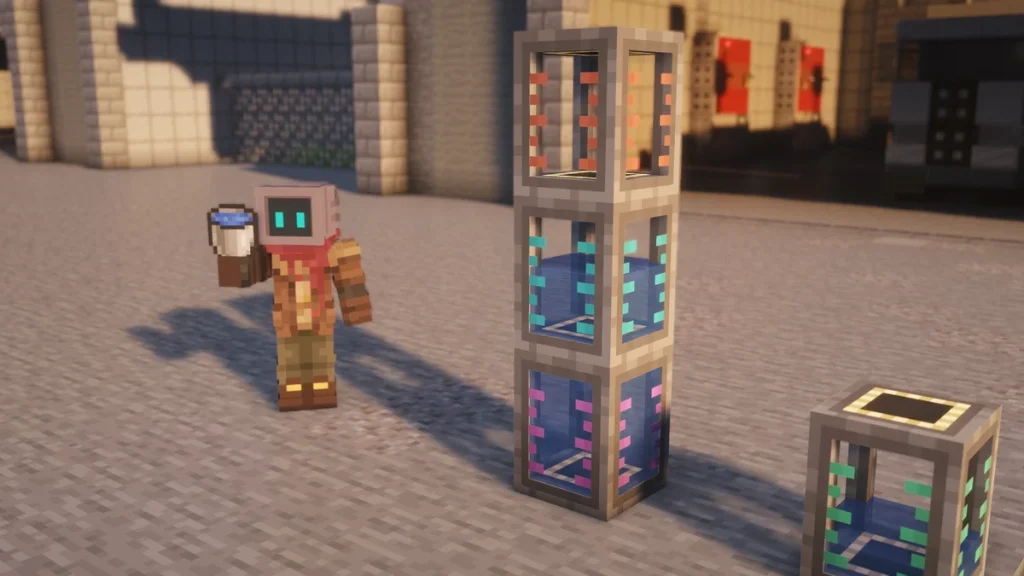
The Fluid Tank is a Mekanism block that stores one fluid, from 32 buckets in the Basic tank up to 256 buckets in the Ultimate one, and it keeps its contents when you break it. It’s cheap as well, as the Basic tank only costs four  Redstone Dust and four
  Iron Ingots.
To empty a tank you’re able to pipe it out, pull  Buckets from its screen, or use Bucket Mode, which turns the tank in your hand into a giant bucket. For clearing out a fluid that’s stuck inside a machine, you’ll want a Gauge Dropper, as it’s the only tool that’s able to delete what’s in a gauge.
How to Make It
A  Basic Fluid Tank is crafted from four Redstone Dust and four Iron Ingots around an empty middle slot. Each higher tier takes four of that tier’s alloy, four more Iron Ingots and the tank from the tier below, and any fluid inside is carried over to the new tank.


A placed tank can be upgraded where it stands as well, with a Tier Installer from the Factories and Tier Installers page. The  Creative Fluid Tank has no recipe, as it never runs out and is only there for creative mode and testing.
How It Works
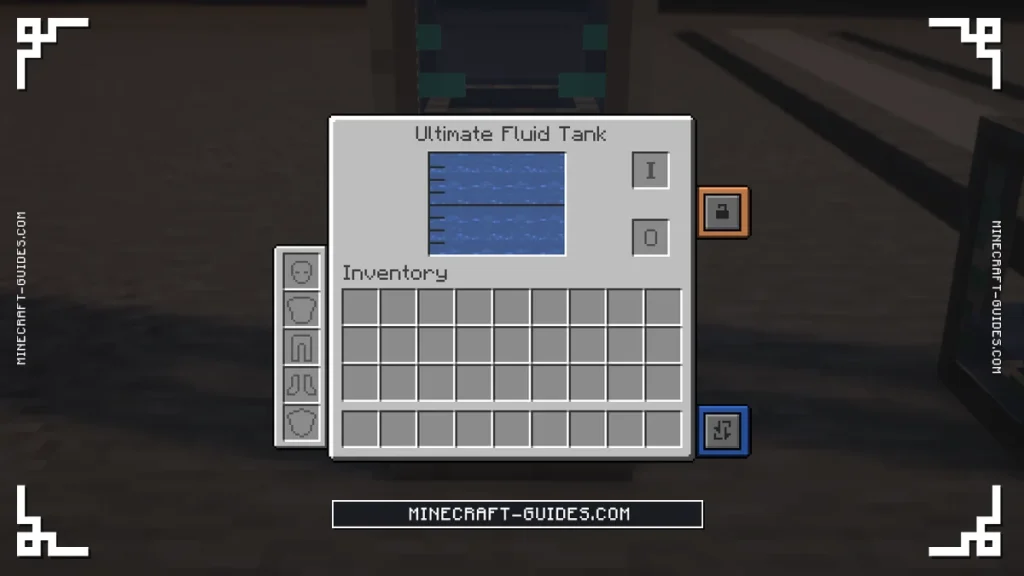
A tank holds a single fluid at a time, and it’s filled either by a Mechanical Pipe or by placing Buckets in its screen. There’s an input slot and an output slot in there, with a button that switches between Both, Fill and Empty, which decides whether a Bucket you put in gets filled from the tank or emptied into it.
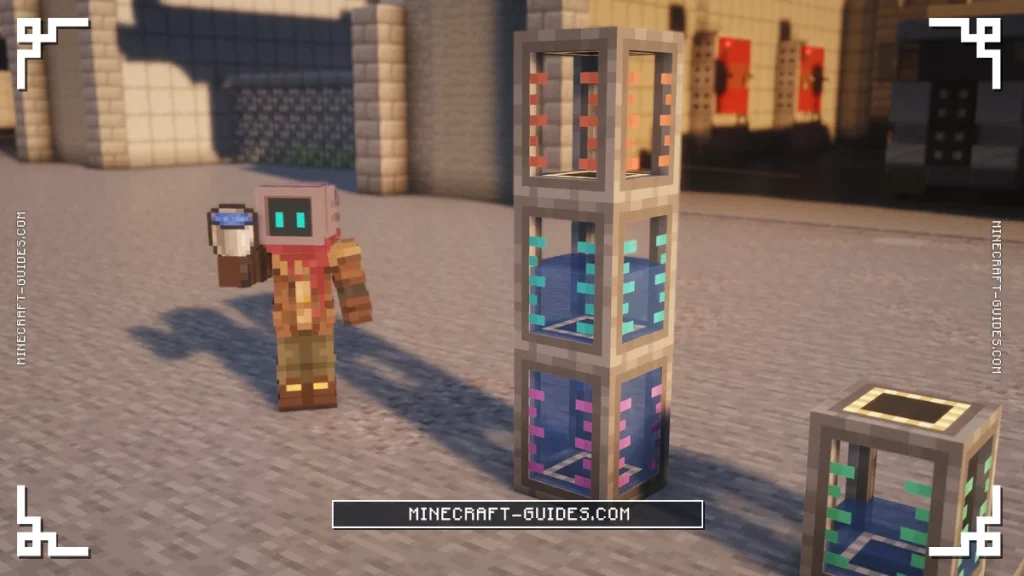
Tanks can be stacked on top of each other, and they’ll behave like one tall tank from the bottom up. Once the lower tank is full, any more of the same fluid that’s piped into it will overflow into the tank directly above, so you only need a pipe on the bottom one.
To send fluid downwards instead, sneak and right-click a placed tank with a  Configurator. That switches the tank to active, and an active tank pushes its fluid into whatever block is below it, at the output rate for its tier. It’s an easy way to feed a machine without any pipes, by just sitting the tank on top of it.
Tiers
Capacity doubles with each tier, whereas the output rate goes up by four times, so the higher tiers are much better at feeding machines than their size suggests. The output rate is how fast an active tank empties into the block below it.
| Tier | Capacity | Buckets | Output Rate |
|---|---|---|---|
| Basic | 32,000 mB | 32 | 1,000 mB/t |
| Advanced | 64,000 mB | 64 | 4,000 mB/t |
| Elite | 128,000 mB | 128 | 16,000 mB/t |
| Ultimate | 256,000 mB | 256 | 64,000 mB/t |
| Creative | Infinite | Infinite | Infinite |
Even the  Ultimate Fluid Tank is small next to a
  Dynamic Tank, which holds over 9,000 buckets at its smallest size. Fluid Tanks are the better choice when you’ll want to carry the fluid around, as they keep it when they’re broken and can be used as a Bucket.
Bucket Mode
Bucket Mode is a setting on the tank while it’s an item in your hand, and it’s off by default. Hold the tank and press the Item Mode Switch key, which is N unless you’ve changed it, and the tooltip will change to say that Bucket Mode is on.
With it on, right-clicking a fluid source block will pick up one bucket of it into the tank, and sneaking while you right-click will place one bucket back out. It only works with a single tank in your hand and not a stack of them, and the fluid has to match what’s already inside.
While Bucket Mode is on, right-clicking the ground won’t place the tank as a block. If your tank refuses to go down, press the Item Mode Switch key again to turn the mode off, and it’ll place like normal.
How to Empty a Tank or a Machine
A placed Fluid Tank is the easy one to empty, as you’re able to pipe it out, take Buckets from the output slot, or just break it and carry the fluid away inside the item. Fluids and chemicals stuck in a machine are harder, as most machines have no button for it.
Gauge Dropper
The tool for that is the  Gauge Dropper, which is crafted from five
  Glass Panes and one
  Osmium Ingot. It’s a small item that holds up to 16,000 mB of a fluid or a chemical, and it only does anything while a machine’s screen is open.


To use it, open the machine and pick the  Dropper up on your cursor, then click on the gauge that you want to change. There are three different clicks, which either move some of the contents into the Dropper, put them back, or throw away everything that the gauge is holding.
| Click on the Gauge | What Happens |
|---|---|
| Left-click | Fills the dropper from the tank, up to 16,000 mB |
| Right-click | Empties the dropper back into the tank |
| Shift + left-click | Deletes everything in that tank |
The Dropper works on fluid and chemical gauges, and on multiblocks like the Dynamic Tank as well. Be careful with the radioactive chemicals though, as dumping Nuclear Waste this way will release it as radiation right where the machine stands.
Configurator Empty Mode
The Configurator has an Empty mode too, but it only drops the items out of a machine’s slots onto the ground and leaves the fluids and chemicals where they are. Some blocks have their own way out, like the Dumping setting on a Chemical Tank, which destroys what’s inside without needing a Dropper.
Upgrades and Automation
Fluid Tanks don’t use energy and they don’t take upgrades, so a Tier Installer or a recraft is the only way to make one bigger. A  Redstone Comparator next to a tank gives a signal based on how full it is, which is useful for switching a pump off before the tank overflows.
Fluid Tanks only hold fluids, so anything that’s a chemical, like Hydrogen, Oxygen or Steam, needs a different block. Those go into the Chemical Tank instead, which has its own tiers and a few settings that the Fluid Tank doesn’t.
FAQ
Pipe it out with a Mechanical Pipe set to Pull, take Buckets from the output slot in its screen, or switch it to active with a Configurator so it drains into the block below. To just throw the fluid away, hold a Gauge Dropper on your cursor and Shift + left-click the gauge.
Hold the tank in your hand and press the Item Mode Switch key, which is N by default. Right-clicking a fluid will then pick up a bucket of it, and sneaking while you right-click will place one, but the tank can’t be placed as a block until the mode is turned off again.
Fluids and chemicals inside a machine are cleared with a Gauge Dropper, by picking it up in the machine’s screen and Shift + left-clicking the gauge. Items are different, as the Configurator’s Empty mode will drop every item slot onto the ground, but it won’t touch the tanks.
A Basic Fluid Tank holds 32 buckets, and it doubles each tier to 64, 128 and then 256 buckets for the Ultimate tank. If you need more than that in one place, tanks can be stacked so they overflow upwards, or you might build a Dynamic Tank instead.


