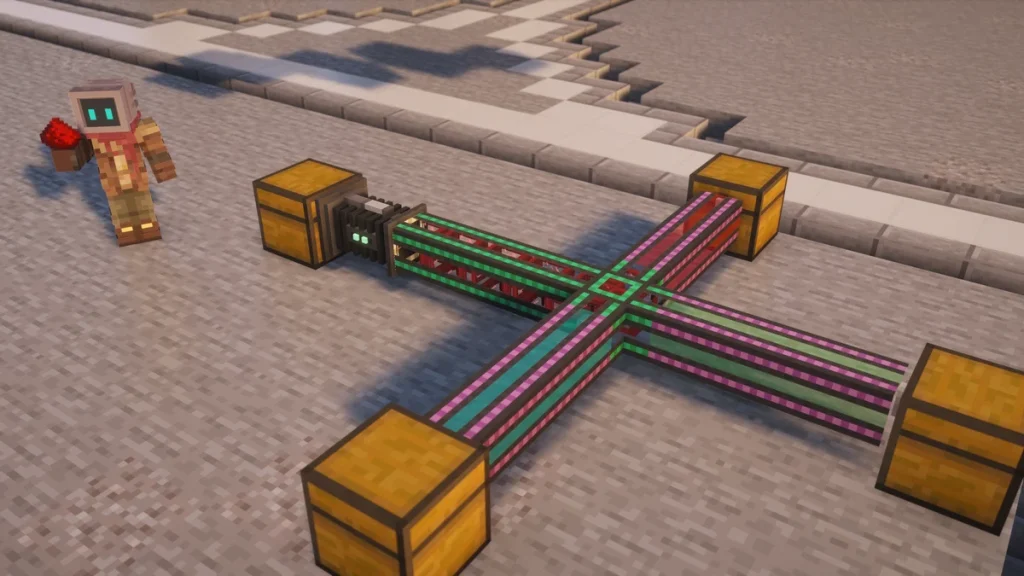
The Logistical Transporter is the Mekanism pipe that’s used to move items between  Chests and machines, and you’re able to craft the Basic one as soon as you have Steel and a
  Basic Control Circuit. It won’t move anything on its own though, as a side has to be switched to Pull with a
  Configurator, or something like a machine or a
  Logistical Sorter has to push items into it.
There are four tiers, which carry items at 1, 2, 4 or 10 blocks a second, and two special ones on top of them. The Restrictive Transporter is used to make an overflow route, whereas the Diversion Transporter opens and closes its sides with a redstone signal.
How to Make It
A  Basic Logistical Transporter recipe will give you eight of them from two
  Steel Ingots with a Basic Control Circuit in between. The higher tiers are made by surrounding one alloy with eight transporters of the tier below, so an
  Infused Alloy turns eight Basic ones into eight of the
  Advanced Logistical Transporter.


 8
8
 8
8
 8
8
 8
8You don’t have to break a line to upgrade it either, as right-clicking a placed transporter with the next alloy will upgrade it where it sits. One alloy covers up to eight connected pieces, starting with the nearest. The Alloys and Control Circuits page has the recipes for all three alloys.
How It Works
Normal, Push, Pull and None
Every side of a transporter that touches an inventory has a mode, which is either Normal, Push, Pull or None, and it starts on Normal. To change it you’ll need to sneak and right-click that side with a Configurator, which cycles through them, and a message in chat tells you which one it’s on now.
A side set to Pull will take items out of the Chest or machine it touches, about twice a second, and it only takes them if there’s somewhere on the line for them to go. If nothing is able to accept the items, the transporter slows down and tries again every couple of seconds, so a full Chest at the far end won’t leave stacks stuck in the pipe.
A transporter left on Normal will only carry what’s pushed into it. Remember to set the side on the source Chest to Pull, or turn on auto-eject in the machine’s Side Configuration tab, as a Mekanism machine never pushes its items out by itself.
Routes
Items always travel to a real destination, as they’re given a route when they’re pulled and they won’t wander around the network. Faster tiers count as a shorter route when there’s more than one way to get there, so an Ultimate line is able to be up to ten times longer than a Basic one and still be the route that’s picked.
Tiers
The tier decides how fast a stack travels and how many items a Pull side takes each time. A Basic transporter only takes one item per pull, which works out at about 2 items a second, whereas the  Ultimate Logistical Transporter takes a full stack and gets through about 128 items a second from each pulling side.
| Tier | Speed | Items per Pull | Upgrade With |
|---|---|---|---|
| Basic | 1 block per second | 1 | Crafted |
| Advanced | 2 blocks per second | 16 | Infused Alloy |
| Elite | 4 blocks per second | 32 | Reinforced Alloy |
| Ultimate | 10 blocks per second | 64 | Atomic Alloy |
Only the piece doing the pulling decides how many items are taken, so it’s worth putting one  Elite Logistical Transporter or better on the source Chest even when the rest of the line is Basic. The speed of each piece still counts along the way though, as a stack slows down whenever it passes through a slower tier.
Colors
Transporters can be given a color, which is how sorting works in Mekanism. Sneak and right-click the middle of a transporter with the Configurator to move it on to the next color, and a plain right-click will tell you what color it is at the moment.
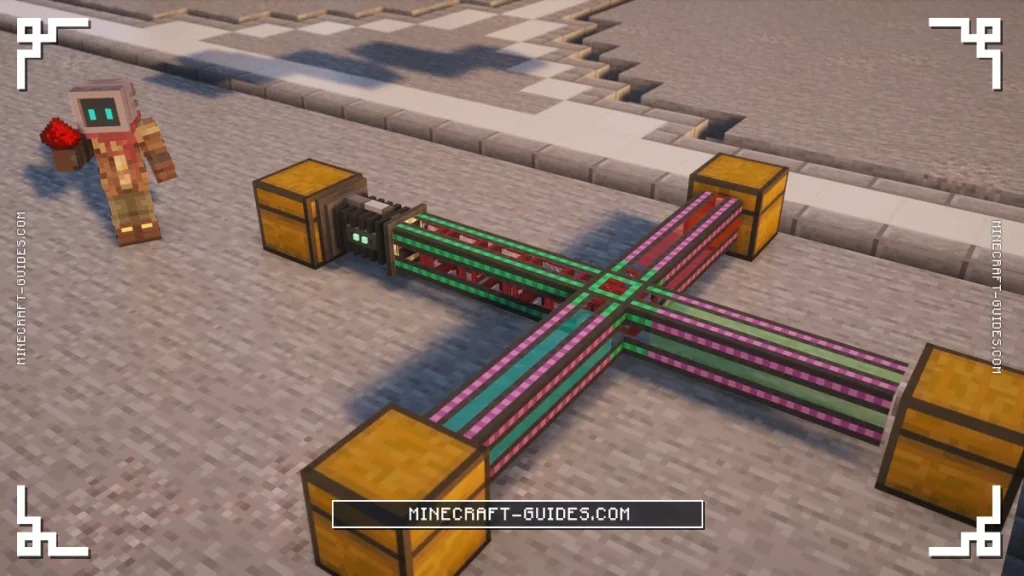
Two transporters with different colors won’t connect to each other, while one with no color will connect to anything. A colored transporter only lets through stacks that carry its color, and stacks get their color from a filter in a Logistical Sorter, so each colored branch ends up carrying only the items you picked for it.
Restrictive and Diversion Transporters
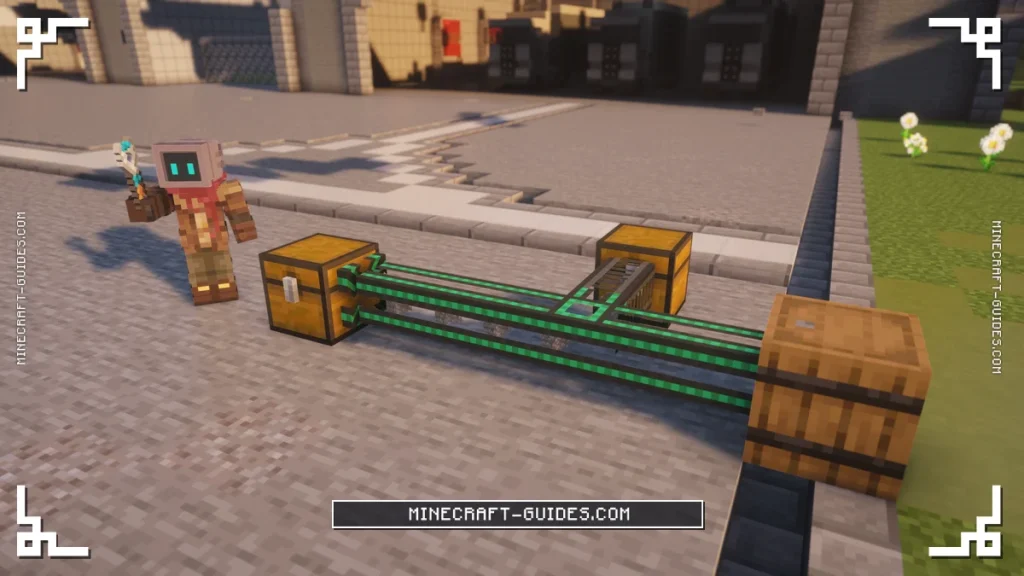
There are two special transporters, which are both crafted two at a time. The  Restrictive Transporter takes two Steel Ingots and one
  Iron Bars, and the
  Diversion Transporter adds six
  Redstone Dust to that same recipe.

 2
2
 2
2Both of them move items at the Basic speed and take one item per pull, and neither has any higher tiers. They can’t be upgraded with alloys like the normal transporters, so you’ll usually want to use just one of them at the spot where it’s needed, with a faster tier for the rest of the line.
Restrictive Transporter
A Restrictive Transporter is only used when there’s no other route for an item, which makes it the piece to put in front of an overflow Chest. Items will fill every other Chest on the network first, and they’ll only pass through the Restrictive one once those are full.
Diversion Transporter
The Diversion Transporter has a redstone setting on each side instead, which is changed by right-clicking that side with the Configurator. It cycles between Disabled, High and Low, where High opens the side only while the transporter is powered and Low only while it isn’t.
Upgrades and Automation
Transporters don’t use any energy and they don’t take upgrades, so the only way to make a line faster is a higher tier. Machines are able to push their items straight into a transporter once auto-eject is turned on for them, which saves you setting a Pull side on every one of them.
A Pull side takes anything it finds, so it can’t pick out one item type from a Chest that holds several. For that you’ll want the Logistical Sorter, which sits between the Chest and the transporter and only sends the items that match its filters.
FAQ
Run the transporters from one inventory to another, then sneak and right-click the side touching the source with a Configurator until it says Pull. Items will be taken out about twice a second and sent to the other end, as long as there’s room for them there. Machines can push into the line instead, if you turn on their auto-eject.
The usual reason is that no side has been set to Pull, as a transporter on Normal only carries what’s pushed into it. It might also be that the destination is full, or that two pieces have different colors and so haven’t joined up, which you’re able to check by right-clicking them with the Configurator.
Transporters can’t filter on their own, so you’ll need a Logistical Sorter on the source Chest with a filter for each item type. Give every filter a color and color the branch going to each Chest to match, as a colored transporter will only carry stacks of its own color.
Right-click a placed transporter with the alloy for the next tier, like an Infused Alloy on a Basic one, and up to eight connected pieces will be upgraded in place. They can be crafted up as well, with eight of the lower tier around one alloy, which costs exactly the same.