By the end of this guide, players will know how to add sockets to equipment, socket Gems for bonus stats, upgrade Gem purity at the Gem Cutting Table, and remove socketed Gems using the Sigil of Withdrawal.
Apotheosis Gems can only be socketed into Affix Items, the special equipment pieces with colored names and bonus stats that drop from dungeons, bosses, and other Apotheosis loot sources.
Gems come in six purity tiers: Cracked, Chipped, Flawed, Normal, Flawless, and Perfect. Higher purity provides stronger bonuses. Each Gem also has a category that determines which equipment types it can be socketed into, such as weapons, armor, or shields.
Crafting Base Materials
Gem Dust and Gem Fused Slate are used in nearly every Sigil recipe. Craft these first regardless of whether the goal is socketing, removing, or upgrading Gems.
Create Gem Dust
Drop an Apothic Gem on the ground by pressing Q while holding it. Then place an Anvil directly above the dropped Gem and break the block supporting the Anvil so it falls onto the Gem. The Anvil will crush the Gem into Gem Dust on impact.

Gem Dust is the foundation of every Sigil and crafting station recipe in the Apotheosis socket system. Use lower-purity Gems like Cracked for this purpose and save higher-purity Gems for socketing into equipment.
Craft Gem Fused Slate
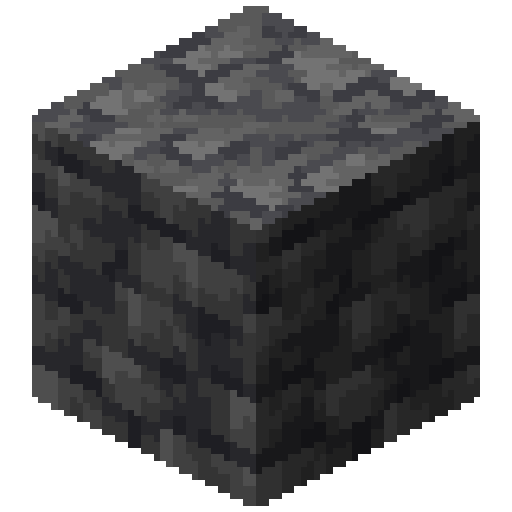
Open a Crafting Table and place 1 Gem Dust in the center slot. Fill all 8 remaining slots with Deepslate. This produces 8 Gem Fused Slate, which is used in nearly every Sigil recipe.


 8
8How to Add Sockets to Equipment
Affix Items may already have sockets when they drop, but additional sockets can be added using a Sigil of Socketing and a Smithing Table.
Craft the Sigil of Socketing
Open a Crafting Table and arrange the following materials: place 4 Gem Dust in the four corners, 3 Gem Fused Slate across the middle row, 1 Gunpowder in the top-center slot, and 1 Amethyst Shard in the bottom-center slot. This creates a Sigil of Socketing.


 3
3The Sigil of Socketing adds one additional socket slot to any Affix Item, up to a maximum of 16 sockets per item. Each use consumes one Sigil, so craft multiples for items that need several sockets.
Add Sockets at the Smithing Table
Right-click on a Smithing Table to open it. Place the Affix Item that needs sockets in the base slot (the middle slot). Place a Sigil of Socketing in the addition slot (the right slot). The template slot should remain empty. Take the result from the output slot.

The resulting item will have one additional empty socket. Repeat this process with more Sigils to add more sockets. The item tooltip will show the total number of available sockets and which ones are filled.
Check the item tooltip before adding sockets. Some Affix Items already come with sockets from when they dropped as loot, so adding more Sigils may not be necessary.
How to Socket Gems into Equipment
Once equipment has empty sockets, Gems can be inserted using the Smithing Table. No additional Sigils are needed for this step.
Insert a Gem at the Smithing Table
Open the Smithing Table. Place the equipment with empty sockets in the base slot. Place the Gem to be socketed in the addition slot. The Gem will automatically fill the first empty socket. Take the enhanced item from the output slot.

The socketed Gem immediately applies its bonus to the equipment. Hover over the item to see the Gem listed in the socket section of the tooltip along with its stat bonuses. Each Gem type provides different effects based on the equipment category it is socketed into.
If the Gem does not appear in the output, verify the equipment has an empty socket and that the Gem's category matches the equipment type (weapon, armor, shield, etc.). Unique Gems can only be socketed once per item.
How to Upgrade Gem Purity
The Gem Cutting Table upgrades Gems to higher purity tiers for stronger bonuses. This is worth doing before socketing, since higher-purity Gems provide significantly better stats.
Craft the Gem Cutting Table
Craft a Gem Cutting Table using 2 Smooth Stone blocks, 1 pair of Shears, 2 Planks (any wood type), and 1 Gem Dust in a Crafting Table. Place the Gem Cutting Table in the world and right-click it to open the interface.


Upgrade a Gem
The Gem Cutting Table has four slots: a base slot for the Gem being upgraded, and three material slots (top, left, and right). Place the Gem in the base slot, then add the required materials. The specific materials needed depend on the Gem type and its current purity level. Once all slots are filled correctly, click the button to upgrade the Gem to the next purity tier.
Requirements
Result

How to Remove Gems from Equipment
The Sigil of Withdrawal safely extracts all socketed Gems from an item without damaging the equipment or the Gems themselves.
Craft the Sigil of Withdrawal
Open a Crafting Table and arrange these materials: place 4 Gem Fused Slate in the four corners, 1 Blaze Rod in the top-center slot, 2 Ender Pearls in the middle-left and middle-right slots, 1 Lava Bucket in the center slot, and 1 Gem Dust in the bottom-center slot.


 4
4The Sigil of Withdrawal is consumed on use, so craft one for each time Gems need to be extracted. Keep spare Gem Fused Slate on hand to craft more as needed.
Extract Gems at the Smithing Table
Open the Smithing Table. Place the equipment containing socketed Gems in the base slot. Place the Sigil of Withdrawal in the addition slot. Take the result from the output slot. The Sigil removes all socketed Gems from the item at once.

The Sigil of Withdrawal removes every socketed Gem from the item in a single operation. There is no way to remove only one specific Gem while leaving others in place. The extracted Gems are returned directly to the player's inventory, or dropped on the ground if the inventory is full.
After withdrawal, the equipment retains all of its sockets as empty slots. The Gems are returned as individual items at their original purity level, ready to be socketed into different equipment or upgraded at the Gem Cutting Table.
Tips for Efficiency
Managing Gems efficiently can save resources and make the most of every rare drop. Here are practical strategies to optimize the Gem socketing workflow.
Always upgrade Gem purity before socketing. A single Flawless or Perfect Gem provides significantly stronger bonuses than multiple lower-purity Gems. Prioritize upgrading the best Gem types before committing them to equipment.
Since the Sigil of Withdrawal removes all Gems at once, plan socket layouts carefully before committing. Filling all sockets on an item before deciding to rearrange means crafting a Withdrawal Sigil and re-socketing every Gem individually.
Use Cracked-purity Gems for making Gem Dust instead of destroying higher-quality ones. Cracked Gems are the most common drops and provide the same amount of Gem Dust as any other purity level when crushed under an Anvil.
Keep a stockpile of Gem Fused Slate at all times. It appears in the recipes for the Sigil of Socketing, Sigil of Withdrawal, Sigil of Enhancement, Sigil of Rebirth, and multiple Smithing Templates. Crafting 8 Deepslate with 1 Gem Dust yields 8 Slate, making it an efficient batch craft.
Unique Gems can only be socketed once per item. Attempting to socket a second copy of the same Unique Gem into equipment that already has one will fail. Check the Gem tooltip for the "Unique" label before planning socket layouts.
Frequently Asked Questions
There are three common reasons. First, the equipment may not have any empty sockets. Check the tooltip to see if all socket slots are already filled. Second, the Gem's category may not match the equipment type. Each Gem specifies which categories it works with, such as swords, armor, or shields. Third, if the Gem is marked as Unique, only one copy of that Gem can exist per item. Use a Sigil of Withdrawal to free up sockets or try a different equipment piece.
No. The Sigil of Withdrawal removes every socketed Gem from the item in a single operation. There is no way to selectively remove individual Gems. Plan ahead before socketing, and keep extra Sigils of Withdrawal on hand in case a full re-socket is needed.
No. The Sigil of Withdrawal keeps the equipment fully intact. All affixes, sockets, enchantments, and durability remain unchanged. Only the socketed Gems are extracted. The Gems themselves are also preserved at their original purity level and returned to the player's inventory.
Any Gems that cannot fit into the player's inventory are dropped as items on the ground at the player's position. They will not be destroyed. Clear some inventory space before using the Sigil of Withdrawal, or pick up the dropped Gems quickly before they despawn.
No. Gems can only be socketed into Affix Items generated by the Apotheosis loot system. Standard crafted equipment like a regular Diamond Sword or Iron Chestplate does not have sockets and cannot receive them. Look for equipment with colored names and special affixes in their tooltips, which are found as loot in dungeons, boss drops, and other Apotheosis encounters.