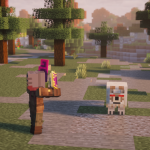
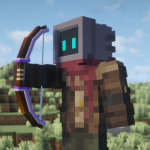
Better MC is a vanilla+ styled pack. The aim of this modpack is to complete Minecraft as you normally would. However, there’s now more of a challenge, with hundreds of dungeons to explore and dozens of bosses to defeat for interesting loot.
World generation is also massively overhauled, with new structures implemented and old ones receiving major updates. Over time, players can travel to other dimensions, with vast content to discover.
Shaders
If your system allows it, one of the first things you might want to do is turn on shaders. This can be quite demanding and will slow your performance massively. But the transformation to the appearance is often worth it, with shaders massively overhauling the lighting, reflections, and shadows.

Better MC comes with Oculus installed already, allowing shaders to be turned on with just a few clicks. Open the menu, then go to Options > Video Settings, and choose the ‘Shader Packs…’ option in the top-right corner.
A few packs are already available, mostly Complementary Shaders, a very popular pack. Select it, and it will be enabled. However, you might also want to configure the shaders in this screen, changing the preset to possibly increase performance.
Quests
The easiest way to get started with Better MC is by following the in-game quests created by the developers. One of these acts as a tutorial and gives a short introduction to some of the included mods and mechanics, like Just Enough Items.
Completing the basic tutorial will reward you with some Bread, Torches, the Charm of Life, a Rainbow Birch Sapling, and the Animal Dictionary from the Alex’s Mobs mod. Quests can be pinned and completed with other players by creating a party, which can be found next to the quests icon.

To access the quests menu, open the inventory and press the book icon in the top left corner. Quests can be pinned, and you can switch between different categories by pulling out the left side menu.
To progress through the game, complete the quests for the dimension you’re in, starting with the Overworld. These might have you defeat bosses, collect items, or craft blocks. Either way, they should give a short introduction to some of the mods included and a way to get started with them.
How to Play
You can play Better MC like you would vanilla Minecraft. Focus on the main tasks as normal, such as exploring the Nether, reaching the End, and eventually beating the Ender Dragon. Then, you can start to focus on some of the other mods that are included, as these will likely require some end-game equipment and resources.
Other dimensions can be explored, such as the Otherside provided by Deeper and Darker, or visit the Aether through a Glowtstone Portal and enter the Twilight Forest, where you can try to beat bosses in a certain order.
Generally, the gameplay loop will mostly be the same. However, there’ll be more biomes to discover, creatures to tame, and dungeons to explore. Focus on completing the in-game quests for the dimension you’re currently in. More quests can be completed by visiting a Village and looking for a Bounty Board provided by the Bountiful mod.
Main Goals
Your primary goal is to beat Minecraft as normal by defeating the Ender Dragon in the End. However, there are some other tasks that you can undertake; try doing the following:
- Defeat all the bosses provided by the Cataclysm mod.
- Create some Feasts from the Farmers Delight mod.
- Jump into the Twilight Forest and defeat all the bosses.
- Obtain the Sculk Transmitter and Warden Armor from Deeper and Darker, a new dimension themed around the Deep Dark.
- Create a Backpack and unlock all the customization options from the Backpacked mod.
- Build all of the Chipped workstations, giving access to thousands of new decorative blocks to build with.
- Hatch the Egg of an Ender Dragon, tame it, and eventually ride it, which can be done thanks to the Dragon Mounts Legacy mod.
- Upgrade Netherite Armor with the Advanced Netherite mod, eventually obtaining all 4 tiers.