


Sophisticated Backpacks offers one of the most extensive upgrade systems of any Minecraft storage mod. With over 45 different upgrades available, you can transform a simple leather backpack into an automated item management powerhouse that picks up items, smelts ores, feeds you food, and much more.
This complete reference covers every upgrade in the mod, explaining what each one does, when to use it, and what you need to craft it. Whether you want to know which upgrades work best for mining, need help understanding the filtering system, or want to maximize your backpack’s storage capacity, this guide has you covered.
Other Mods You May Like

How Upgrades Work
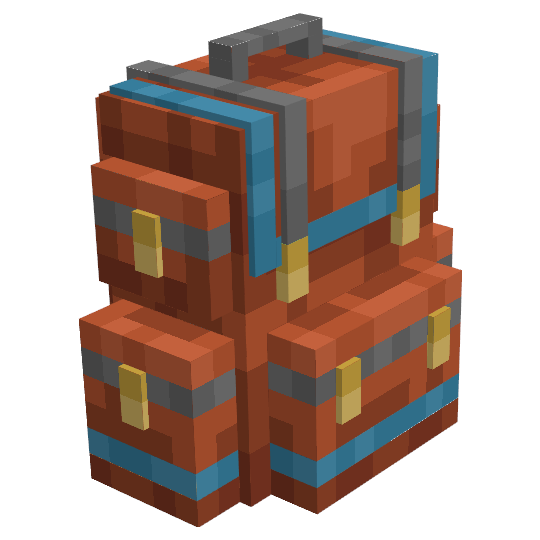
Every backpack has upgrade slots that determine how many upgrades you can install. The basic Leather Backpack has just 1 upgrade slot, while Copper has 1, Iron has 2, Gold has 3, Diamond has 5, and Netherite has 7. Choosing the right combination of upgrades for your available slots is key to getting the most value from your backpack.
Most upgrades come in basic and advanced versions. Advanced upgrades offer more filter slots and additional options but require more expensive materials to craft. Some upgrade types are limited to one per backpack, while others like Stack Upgrades can be combined up to a limit of 3.
Upgrade Base
The Upgrade Base is the foundational crafting component for almost every upgrade in Sophisticated Backpacks. You cannot install it directly into a backpack – instead, you use it as the core ingredient when crafting functional upgrades.


The recipe uses String, Iron Ingots, and Leather arranged in a specific pattern. Keep a stockpile of Upgrade Bases ready, as you will need many of them when crafting multiple upgrades for your backpacks.
Item Collection Upgrades
These upgrades automatically collect items from the ground, either on contact or at range. They are essential for mining, farming, and any activity that generates lots of dropped items.
Pickup Upgrade
The Pickup Upgrade makes your backpack automatically collect items you walk over. Instead of items going to your main inventory first, they go directly into the backpack. This keeps your hotbar clean while mining and ensures collected items stay organized.

Pickup Upgrade


The filter allows you to specify which items get picked up. You can set it to only collect ores, or exclude common blocks like cobblestone. This upgrade is best for general-purpose use when you want basic automatic pickup without needing complex filtering.
Advanced Pickup Upgrade
The Advanced Pickup Upgrade provides the same automatic item collection but with expanded filtering capabilities. It offers 16 filter slots instead of 9, plus additional filtering options like matching by item tags, durability, and enchantments.

Advanced Pickup Upgrade


Use the advanced version when you need precise control over what gets collected. The tag-based filtering is particularly useful for collecting all ores regardless of which mod adds them, or all food items at once.
Magnet Upgrade
The Magnet Upgrade pulls items toward you from a distance of 3 blocks, then deposits them into your backpack. Unlike the Pickup Upgrade which only works on contact, the magnet actively attracts nearby items.

Magnet Upgrade


The Magnet Upgrade requires a Pickup Upgrade as a crafting ingredient. This makes it more expensive but provides significant convenience when mining or killing mobs since items come to you automatically.
Advanced Magnet Upgrade
The Advanced Magnet Upgrade extends the collection range to 5 blocks and provides 16 filter slots with advanced filtering options. The larger range makes a noticeable difference in caves and during mob farming.

Advanced Magnet Upgrade
You can craft the Advanced Magnet Upgrade directly or upgrade from the basic version. The extended range significantly reduces the time spent walking to collect distant item drops.
Item Transfer Upgrades
These upgrades move items between your backpack, inventory, and external storage. They streamline the process of restocking supplies and depositing loot.
Refill Upgrade
The Refill Upgrade automatically replenishes stacks in your inventory from the backpack. When you use up torches, food, building blocks, or arrows, it pulls replacements from your backpack to keep your hotbar stocked.

Refill Upgrade

Set up filters for items you frequently use like torches, food, and building materials. The upgrade monitors your inventory and refills as soon as a stack runs low, keeping you supplied without manual management.
Advanced Refill Upgrade
The Advanced Refill Upgrade adds 12 filter slots and allows precise target slot selection. You can specify that certain items only refill your main hand, off hand, or specific hotbar slots. It also enables middle-click picking of blocks directly from your backpack.

Advanced Refill Upgrade
The target slot feature is excellent for builds where you want torches to always refill slot 9, food in your off-hand, and building blocks in slot 1. The middle-click picking makes creative building much smoother.
Restock Upgrade
The Restock Upgrade lets you quickly pull items from any container into your backpack. Sneak and right-click on a chest, barrel, or other storage block to transfer matching items from that container into your backpack.

Restock Upgrade
Use filters to specify which items to restock. This is perfect for grabbing supplies before a mining trip – just sneak-click your supply chest to pull torches, food, and tools into your backpack in one action.
Advanced Restock Upgrade
The Advanced Restock Upgrade offers 16 filter slots with tag-based filtering and other advanced options. The expanded filtering makes it easy to restock entire categories of items with a single click.

Advanced Restock Upgrade
Deposit Upgrade
The Deposit Upgrade works opposite to Restock – it pushes items from your backpack into external storage. Sneak and right-click a container to deposit filtered items from your backpack into that container.

Deposit Upgrade

After a mining trip, sneak-click your ore chest to instantly deposit all collected ores. Combined with a Restock Upgrade, you can efficiently swap loot for fresh supplies without opening any interfaces.
Advanced Deposit Upgrade
The Advanced Deposit Upgrade provides 16 filter slots with additional filtering options. It also supports the “Match Backpack Contents” mode which deposits any items that already exist in the target container.

Advanced Deposit Upgrade
Item Processing Upgrades
Processing upgrades let your backpack transform items automatically. These include smelting, compacting, and voiding unwanted materials.
Smelting Upgrade
The Smelting Upgrade adds a furnace interface directly into your backpack. You can smelt items using fuel from the backpack’s inventory without needing to place a furnace block in the world.

Smelting Upgrade

Open your backpack and click the Smelting Upgrade tab to access the furnace interface. Load in raw ores and fuel, and smelt while traveling. The upgrade continues processing even when the backpack interface is closed.
Auto-Smelting Upgrade
The Auto-Smelting Upgrade automatically pulls smeltable items from your backpack inventory and deposits the results back. No manual loading required – just collect raw ores and they get smelted continuously.

Auto-Smelting Upgrade

Combined with a Pickup or Magnet Upgrade, this creates a fully automated mining workflow. Collect iron ore and it automatically becomes iron ingots. The upgrade is limited to 1 per backpack.
Smoking Upgrade
The Smoking Upgrade provides a smoker interface for cooking food at double the speed of a regular furnace. It only works with food items, following the same rules as vanilla smokers.

Smoking Upgrade

Auto-Smoking Upgrade
The Auto-Smoking Upgrade automatically cooks any raw food in your backpack. When you collect raw beef, chicken, or other cookable food, it gets processed into cooked versions automatically.

Auto-Smoking Upgrade
Blasting Upgrade
The Blasting Upgrade provides a blast furnace interface that smelts ores and metals at double speed. Like the vanilla blast furnace, it only works with ores, raw metals, and metal equipment.

Blasting Upgrade

Auto-Blasting Upgrade
The Auto-Blasting Upgrade automatically processes ores from your backpack at blast furnace speeds. This is the ideal upgrade for mining, converting raw ores to ingots while you continue exploring.

Auto-Blasting Upgrade
Compacting Upgrade
The Compacting Upgrade automatically compresses items into their block forms using 2×2 recipes. Iron nuggets become Iron Ingots, Glowstone Dust becomes Glowstone blocks, and similar conversions happen automatically.

Compacting Upgrade

Use filters to specify which items should be compacted. This prevents unwanted conversions and ensures only designated materials get compressed.
Advanced Compacting Upgrade
The Advanced Compacting Upgrade handles both 2×2 and 3×3 compacting recipes. This allows conversion of items like Iron Ingots into Iron Blocks, which the basic version cannot do.

Advanced Compacting Upgrade
The advanced version is essential for material compression during extended mining trips. Configure it to compress coal into Coal Blocks, redstone into Redstone Blocks, and similar conversions to save inventory space.
Void Upgrade
The Void Upgrade automatically deletes items you have filtered, preventing them from cluttering your backpack. Common uses include voiding cobblestone, dirt, and gravel while mining.

Void Upgrade

Items voided by this upgrade are permanently destroyed. Double-check your filter settings before enabling to avoid accidentally deleting valuable items.
Advanced Void Upgrade
The Advanced Void Upgrade provides 16 filter slots with tag-based filtering and other advanced options. It can also be configured to only void items when the backpack is full, preserving items when space is available.

Advanced Void Upgrade
Filter Upgrades
Filter upgrades control what items can enter or leave your backpack when connected to pipes or hoppers from other mods.
Filter Upgrade
The Filter Upgrade restricts which items can be inserted into or extracted from your backpack by external automation. This is essential when connecting backpacks to item pipes, hoppers, or storage networks.

Filter Upgrade
Configure separate filters for items being piped in versus items being extracted. This allows backpacks to function as sorted storage within larger automation systems.
Advanced Filter Upgrade
The Advanced Filter Upgrade expands to 16 filter slots with tag-based filtering, NBT matching, and other advanced options. It provides much finer control over automated item flow.

Advanced Filter Upgrade
Stack Upgrades
Stack upgrades multiply the number of items that can fit in each backpack slot. They dramatically increase total storage capacity without adding more slots.
Stack Upgrade Starter Tier
The Starter Tier Stack Upgrade multiplies stack sizes by 1.5x. A slot that normally holds 64 items can now hold 96. This is the most affordable stack upgrade and a good early-game option.

Stack Upgrade Starter Tier

Stack Upgrade Tier 1
Tier 1 doubles stack sizes, allowing 128 items per slot for standard 64-stack items. This is the first significant storage increase and uses Iron Blocks to craft.

Stack Upgrade Tier 1

Stack Upgrade Tier 2
Tier 2 quadruples stack sizes to 256 items per slot. It requires Gold Blocks and the previous tier upgrade to craft, following a progressive upgrade path.

Stack Upgrade Tier 2

Stack Upgrade Tier 3
Tier 3 provides 8x stack capacity, reaching 512 items per slot. Diamond Blocks are required alongside the Tier 2 upgrade.

Stack Upgrade Tier 3

Stack Upgrade Tier 4
Tier 4 multiplies stacks by 16x, allowing 1,024 items per slot. This is the highest craftable tier before the Omega upgrade and requires Netherite Blocks.

Stack Upgrade Tier 4

Stack Upgrade Omega Tier
The Omega Tier represents the maximum possible stack size, multiplying by over 33 million. Each slot can hold astronomical quantities of items, essentially providing unlimited storage for stackable items.

Stack Upgrade Omega Tier
The Omega Tier requires nine Tier 4 Stack Upgrades to craft, making it extremely expensive. However, it provides storage capacity that rivals dedicated storage mods.
You can install a maximum of 3 Stack Upgrades per backpack. Multiple stack upgrades multiply together, so combining Tier 1 (2x) and Tier 2 (4x) gives 8x total capacity.
Stack Downgrade Tier 1
Stack Downgrade Tier 1 divides stack sizes by 8, reducing slots to hold only 8 items each. While this sounds counterproductive, it helps create more organized sorting when combined with filtering.

Stack Downgrade Tier 1


Stack Downgrade Tier 2
Stack Downgrade Tier 2 divides by 16, allowing only 4 items per slot. This extreme limitation forces one item type per slot, useful for very specific sorting requirements.

Stack Downgrade Tier 2
Stack Downgrade Tier 3
Stack Downgrade Tier 3 divides by 32, limiting slots to just 2 items each. This is the most restrictive option, primarily used for specialized automation setups.

Stack Downgrade Tier 3
Crafting Station Upgrades
These upgrades embed crafting interfaces directly into your backpack, letting you craft, repair, and process items without placing blocks in the world.
Crafting Upgrade
The Crafting Upgrade adds a 3×3 crafting grid to your backpack. Access it through the upgrade tab to craft using materials from both your inventory and backpack simultaneously.

Crafting Upgrade
You can configure whether crafted items go to your inventory or backpack, and optionally enable automatic grid refilling for bulk crafting of the same recipe.
Stonecutter Upgrade
The Stonecutter Upgrade provides a portable stonecutter interface for quickly converting stone blocks into stairs, slabs, and decorative variants. It uses materials from your backpack inventory.

Stonecutter Upgrade

Anvil Upgrade
The Anvil Upgrade adds a full anvil interface for repairing tools, renaming items, and combining enchantments. It consumes levels normally and can access materials from your backpack.

Anvil Upgrade

Smithing Upgrade
The Smithing Upgrade provides a smithing table interface for upgrading Diamond equipment to Netherite and applying armor trims without placing a block.

Smithing Upgrade

Utility Upgrades
Utility upgrades provide various quality-of-life features that do not fit into other categories.
Feeding Upgrade
The Feeding Upgrade automatically feeds you food from your backpack when hungry. It monitors your hunger bar and consumes food items without requiring manual eating.

Feeding Upgrade



Use the filter to specify which foods the upgrade can use. This prevents it from eating your golden apples during normal hunger while saving them for emergencies.
Advanced Feeding Upgrade
The Advanced Feeding Upgrade adds 16 filter slots plus options to control when feeding triggers. You can set it to only feed when hunger drops below a threshold or when saturation is low.

Advanced Feeding Upgrade
Tool Swapper Upgrade
The Tool Swapper Upgrade automatically switches to the correct tool when you left-click blocks or entities. Mine stone and it equips a pickaxe; hit a tree and it switches to an axe.

Tool Swapper Upgrade


Configure filters to include which tools the upgrade can swap. The upgrade selects the most effective tool for the target block, considering enchantments like Efficiency and Silk Touch.
Advanced Tool Swapper Upgrade
The Advanced Tool Swapper adds key-binding support for manual tool swaps and wrench detection. Look at a block and press the keybind to swap to an appropriate wrench or tool for that block.

Advanced Tool Swapper Upgrade
Jukebox Upgrade
The Jukebox Upgrade lets you play music discs from your backpack while traveling. Insert a disc and music plays wherever you go, turning your backpack into a portable sound system.

Jukebox Upgrade

Advanced Jukebox Upgrade
The Advanced Jukebox Upgrade holds up to 12 discs and provides playlist functionality. You can shuffle tracks, set repeat modes, and build custom playlists for extended listening sessions.

Advanced Jukebox Upgrade
Fluid and Energy Upgrades
These upgrades allow backpacks to store and manage fluids and energy, integrating with tech mod systems.
Tank Upgrade
The Tank Upgrade converts some backpack slots into fluid storage. It can store any fluid including water, lava, and modded liquids. The stored fluid can be used by other upgrades or extracted by pipes.

Tank Upgrade

Pump Upgrade
The Pump Upgrade transfers fluids between Tank Upgrades and adjacent blocks. Place your backpack next to a tank or fluid source and the pump moves liquids in or out based on configuration.

Pump Upgrade
Advanced Pump Upgrade
The Advanced Pump Upgrade adds fluid filtering, interaction with held containers (like buckets), and the ability to collect fluid source blocks from the world.

Advanced Pump Upgrade

XP Pump Upgrade
The Experience Pump Upgrade converts between player XP and liquid XP stored in a Tank Upgrade. You can store experience as a fluid for safekeeping, then retrieve it later when needed for enchanting.

XP Pump Upgrade


This is valuable for safely storing XP before dangerous activities. Convert your levels to liquid form, and if you die, your XP remains safely stored in your backpack tank.
Battery Upgrade
The Battery Upgrade converts backpack slots into Forge Energy (FE) storage. It can charge tools and power other backpack upgrades, and accepts power input from external sources through pipes.

Battery Upgrade

Special Upgrades
These upgrades provide unique functionality that fundamentally changes how your backpack works.
Inception Upgrade
The Inception Upgrade allows you to put backpacks inside your backpack. This creates nested storage where you can organize different backpacks for different purposes within a master backpack.

Inception Upgrade

With config options enabled, upgrades in nested backpacks remain functional. This means magnet and pickup upgrades in inner backpacks still work, and other upgrades can access their inventories.
Everlasting Upgrade
The Everlasting Upgrade makes your backpack completely indestructible. It cannot be destroyed by fire, lava, explosions, or the void. The backpack also never despawns, staying in the world indefinitely if dropped.

Everlasting Upgrade

This is the ultimate protection for valuable items. Combine with a Netherite Backpack for maximum security during dangerous exploration or End raiding.
Alchemy Upgrade
The Alchemy Upgrade automatically uses potions, effect-giving foods, or milk buckets from your backpack. Configure it to drink specific potions when conditions are met, like using Fire Resistance when on fire.

Alchemy Upgrade


Advanced Alchemy Upgrade
The Advanced Alchemy Upgrade expands to 8 item slots and adds effect-based filtering. You can configure it to use any item that provides a specific effect, regardless of what type of item grants it.

Advanced Alchemy Upgrade
Survival Infinity Upgrade
The Survival Infinity Upgrade makes items in your backpack infinite, never running out when used. Configure which slots hold infinite items, and those stacks never deplete no matter how many you use or place.

Survival Infinity Upgrade
This upgrade provides creative-mode-like convenience while in survival. Set your favorite building blocks as infinite, and construct massive projects without material concerns.
Infinity Upgrade (Admin)
The Admin Infinity Upgrade functions identically to the Survival version but restricts access to players with operator permissions. Only admins can modify infinite items or pick up the backpack.

Infinity Upgrade (Admin)
Server operators use this to create public infinite storage that players cannot abuse. Common uses include server shops and reward items that should never run out.
Recommended Upgrade Combinations
Knowing which upgrades work well together helps you build effective backpack loadouts for different activities.
Higher-tier backpacks with more upgrade slots let you combine these loadouts. A Diamond or Netherite Backpack with 5-7 upgrade slots can support most activities with a single well-configured setup.


