

Warp Pads are teleport blocks in Tensura: Reincarnated that come in a lot of different stone styles, like the  Stone Warp Pad, and a few more that only show up in structures. You’ll find old ones in ruins out in the world, where sneaking on the pad throws you somewhere random, and the one in a Dwarf Village is how you get to Gazel Dwargo’s arena.
A Warp Pad you build yourself won’t teleport anything on its own, though. Instead, it works as a saved destination for the spatial skills and spells, so once you’ve learned something like Spatial Motion, you’re able to warp straight back to any pad you’ve marked, which makes them a cheap way to set up a network of bases.
Crafting a Warp Pad
Every Warp Pad is built around a  Warp Core, which you’ll make from Ender Pearls, Low Magisteel and a Magic Stone, along with two of the Space cores. Those cores are the hard part, as you’ll need to get the Space shards from a spirit to fill them, and the Element Cores page goes through how to make them.


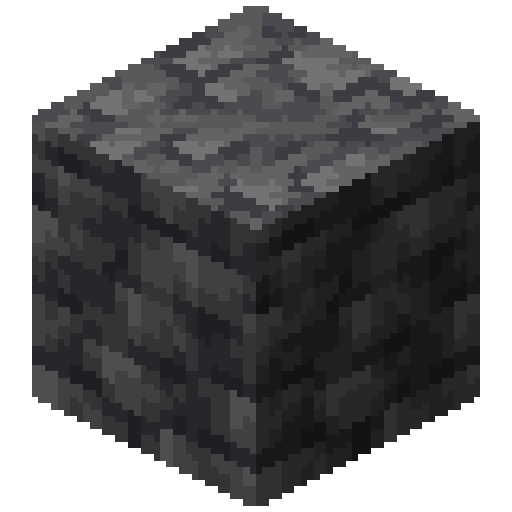


Surrounding the Warp Core with eight stone blocks gives you a Warp Pad in that stone’s style, and some of them use a mix of two blocks, like Stone and Smooth Stone for the Stone Warp Pad. Every style works the same way, so it’s only a choice of looks, and you’re able to pick whichever one suits your build.
| Warp Pad | Made From |
|---|---|
| Stone | Stone and Smooth Stone |
| Granite, Diorite, Andesite | Their stone and polished versions |
| Calcite, Tuff | Calcite or Tuff |
| Deepslate | Deepslate and Polished Deepslate |
| Brick | Bricks |
| Sandstone, Red Sandstone | Smooth and Cut Sandstone |
| Sarasa Sandstone | Smooth and Cut Sarasa Sandstone (Creative only) |
| Packed Mud | Packed Mud and Mud Bricks |
| Prismarine Brick | Prismarine Bricks |
| Nether Brick, Red Nether Brick | Their bricks |
| Blackstone, Basalt | Their normal and polished or smooth versions |
| Quartz | Block of Quartz and Quartz Pillar |
| End Stone | End Stone and End Stone Bricks |
| Purpur | Purpur Block and Purpur Pillar |
You’ll need an Iron Pickaxe to break a pad, and it’ll drop the item back when you do. If you break one of the pads from a structure, though, you’ll lose whatever it was set up to do, so it’s only worth taking those if you want the block for its looks.
How to Use It
Placing a Warp Pad puts down a two by two pad from a single item, as long as there’s room for all four parts on the ground in front of you. If you sneak while placing it, you’ll get a bigger three by three pad instead, and breaking any part of either one will remove the whole pad and give you the item back.

To mark a pad, sneak and right-click it with an empty hand, which saves it to a separate Warp Pad list in your spatial movement menu. This only works once you have more than one warp point to your name, which you’ll get by learning one of the skills or spells in the table below.
| Skill or Spell | Type | Warp Points Added |
|---|---|---|
| Spatial Motion | Extra Skill | 2 |
| Warp Portal | Aspectual Magic | 2 |
| Gate | Spiritual Magic | 2 |
| Traveler | Unique Skill | 5 |
Once a pad is saved, you’ll find it under the Warp Pads tab of the menu, and choosing it will warp you there for the skill’s usual Magicule cost, which depends on how far away the pad is. The pad has to still be there when you arrive, so if it’s been broken, the warp will fail and tell you that it couldn’t find it.
Since a saved pad doesn’t count against your normal warp points, putting a Warp Pad at each of your bases lets you warp between all of them without using up those slots. The Extra Skills page covers how to learn Spatial Motion, which is the easiest of these to get.
Setting Up Pads With Commands
Operators are able to turn any pad into a working teleporter with the warp pad command, which sets a fixed destination, a random range, the player’s spawn point or a boss fight. They can also set how long you have to stand on it and how much Magicule it costs for each block you travel, which is how the pads in structures are set up.
Warp Pad Ruins
Warp Pad Ruins are small ruined platforms with a working Warp Pad in the middle, and they show up about every fifty chunks in the Overworld. There are five versions of them, each built from the stone that suits the biome it’s in, so you’ll find a Sandstone one in a desert and a Tuff one somewhere cold.
| Ruin | Pad | Biomes |
|---|---|---|
| Plains | Stone Warp Pad | Plains, Forests, Taiga, Savanna |
| Cold | Tuff Warp Pad | Cold biomes |
| Desert | Sandstone Warp Pad | Deserts, Desert of Death, Barren Land |
| Mesa | Red Sandstone Warp Pad | Badlands |
| Swamp | Packed Mud Warp Pad | Mangrove Swamp, Miasmic Plains |
Sneaking on the pad for a second will throw you to a random spot on the surface up to a thousand blocks away in any direction. It costs you twenty Magicule for every block you travel, so a long jump might take thousands of it, and if you don’t have enough, the pad just won’t send you anywhere.
A jump to the far edge of the range can cost tens of thousands of Magicule, which a new player won’t have. Mobs that wander onto the pad get sent off for free, though, so it also works as a way to get rid of something that’s following you.
There aren’t any chests in the ruins, but some of them have patches of loose dirt or sand around the pad, which you’ll sink into if you’re not careful. The Decorative Building Blocks page explains how those loose blocks work.
The Royal Dwarven Warp Pad
The  Royal Dwarven Warp Pad sits at the top of the Royal Tower in a Dwarf Village, and it’s the way into Gazel Dwargo’s arena. It only lets you through if your reputation with the Dwarves is at its highest or its lowest, and once you’re there, you’ll sneak on it to be taken to the arena for the fight.

If you’ve already killed Gazel and your reputation is at its lowest, the pad won’t take you again, and you’ll get a message saying the king is absent. The arena has its own pad that sends you back to your spawn point for free, and the Royal Tower and Gazel Dwargo pages cover the tower and the fight, which is the next step once your reputation is high enough.

The Royal Dwarven pad and the three Labyrinth pads can’t be crafted or broken in survival, so you’ll only see them in structures or in Creative mode. They work the same way as the others if an operator sets them up with a command, though, so they’re mostly there for people making maps.
Frequently Asked Questions
Sneak and right-click a pad with an empty hand to save it, then warp to it from the Warp Pads tab of a spatial skill like Spatial Motion. A Stone Warp Pad you build yourself won’t teleport you on its own, whereas the ones in ruins send you somewhere random when you sneak on them.
You’ll need a Magic Stone in the middle with Low Magisteel Ingots around it, and then Ender Pearls and two of the Space cores in the corners. The Warp Core then goes in the middle of eight stone blocks to make the pad itself.
It’ll send you to a random spot on the surface a long way away, and it costs you some Magicule for every block that you travel. If you don’t have enough Magicule for the distance that it picks, it just won’t send you anywhere at all.
You’ll need to sneak on the Royal Dwarven Warp Pad in the Royal Tower of a Dwarf Village, with your reputation at its highest or its lowest. It takes you to his arena, and the pad there will send you back home again.


